- Key Takeaways
- Part 1. What is a lithium-ion battery?
- Part 2. Why do lithium-ion batteries die?
- Part 3. Can you jumpstart a dead lithium battery?
- Part 4. How to jumpstart a dead lithium-ion battery (step-by-step)?
- Part 5. Special case: How to jumpstart a laptop battery
- Part 6. Common mistakes when jumpstarting lithium batteries
- Part 7. When should you replace a dead lithium-ion battery?
- Part 8. How to maintain lithium battery health?
- Part 9. Safe disposal of dead lithium batteries
- Part 10. FAQs about jumpstarting a dead lithium-ion battery
Lithium-ion batteries power laptops, tools, and EV systems. But sometimes they drop to 0% and won’t charge. This is often called a “dead battery.”
So, can you jumpstart a lithium battery? Yes — but only in specific cases, and safety is critical.
This guide explains how to jumpstart a dead lithium-ion battery, when it works, and when you should stop and replace it.
Key Takeaways
- A “dead” lithium-ion battery is often over-discharged, not fully broken.
- You can jump start a lithium battery using a low-current pre-charge (trickle charge).
- If voltage is below ~2.5V per cell, standard chargers may not detect it.
- Never jumpstart a swollen, leaking, or overheated battery.
- For laptops and packs with BMS, recovery may fail due to protection lockout.
Part 1. What is a lithium-ion battery?
A lithium-ion (Li-ion) battery stores and releases energy by moving lithium ions between electrodes.
Core components:
- Anode – stores lithium ions
- Cathode – releases lithium ions
- Electrolyte – enables ion movement
- Separator – prevents short circuits
They are widely used due to:
- High energy density
- Lightweight design
- Long cycle life
👉 Learn more: What Is a Lithium-Ion Battery?
Part 2. Why do lithium-ion batteries die?
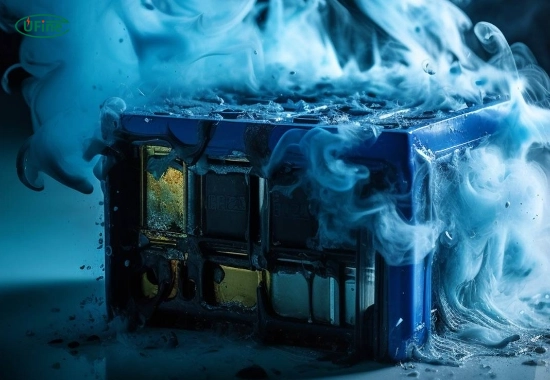
A lithium battery usually “dies” due to one of these reasons:
1. Deep Discharge (Most Common)
- Voltage drops below 2.5V per cell
- Battery enters protection mode (sleep state)
2. Bms Protection Lock
- Battery Management System disables charging
- Common in laptop batteries and battery packs
3. Aging & Cycle Wear
- Capacity fades after 300–1000 cycles
4. Temperature Damage
- High heat → electrolyte breakdown
- Low temperature → reduced charging ability
5. Internal Failure
- Short circuits or material degradation
Part 3. Can you jumpstart a dead lithium battery?
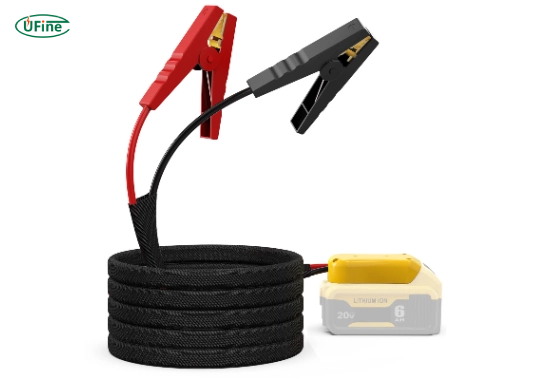
Short answer: Yes, but not always.
It works when:
- Battery is over-discharged, not damaged
- Voltage is low but cell chemistry is intact
It will NOT work when:
- Battery is swollen or leaking
- Internal resistance is too high
- BMS permanently locked the pack
The Ultimate Guide to Using a Lithium-Ion Jump Starter
Part 4. How to jumpstart a dead lithium-ion battery (step-by-step)?
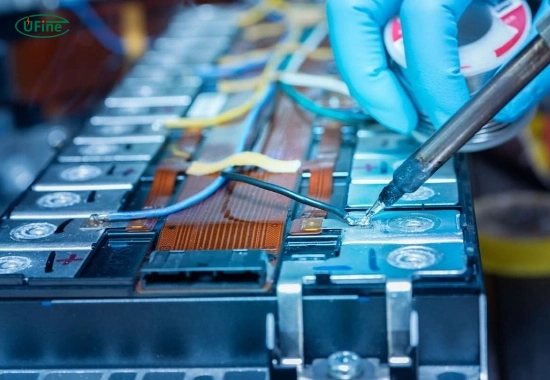
This method is also known as pre-charging or trickle charging.
Step 1: Prepare Tools
- Multimeter (voltage check)
- Compatible lithium battery charger
- Optional: bench power supply or jumpstart battery charger
- Safety gear (gloves, eye protection)
Step 2: Measure Voltage
- Check battery voltage
- If < 2.5V, standard chargers may not start
Step 3: Apply A Trickle Charge
This is the key step to jump start a lithium battery:
- Set current to 0.05C–0.1C (very low current)
- Slowly raise voltage to ~3.0V per cell
- Monitor temperature continuously
⚠️ Never leave unattended
Step 4: Switch To Normal Charging
Once voltage reaches safe range:
- Use standard CC/CV lithium charging
- Charge up to 4.2V per cell
For reference charging standards: External reference: Battery University – Charging Lithium-Ion
Step 5: Test Performance
After charging:
- Check capacity retention
- Observe discharge stability
If performance is poor → replace battery
Part 5. Special case: How to jumpstart a laptop battery
Laptop batteries are harder to revive because:
- Built-in BMS locks charging
- Cells are not directly accessible
Practical approach:
- Try original charger for extended time
- Reset device (power drain method)
- If no response → replacement is usually required
Part 6. Common mistakes when jumpstarting lithium batteries
Avoid these critical errors:
- Using a non-lithium charger
- Applying high current immediately
- Charging a physically damaged battery
- Ignoring heat buildup
- Attempting repeated recovery on failed cells
These can lead to thermal runaway risks.
Part 7. When should you replace a dead lithium-ion battery?
Replace immediately if you see:
- Swelling or bulging
- Electrolyte leakage
- Fast self-discharge
- Voltage drops under load
👉 For custom battery solutions: Ufine Battery Custom Lithium Solutions
Part 8. How to maintain lithium battery health?
To avoid needing to jumpstart again:
- Keep charge between 20%–80%
- Avoid full discharge (0%)
- Store at 40–60% charge
- Use certified chargers only
- Keep temperature between 10°C–30°C
Part 9. Safe disposal of dead lithium batteries
Do NOT throw in trash.
- Use certified recycling centers
- Follow local hazardous waste rules
- Contact manufacturer if unsure
Part 10. FAQs about jumpstarting a dead lithium-ion battery
Can you jumpstart a completely dead lithium-ion battery?
Yes, if it is only over-discharged. Use a low-current trickle charge to revive it.
Is it safe to jumpstart a lithium battery?
Yes, but only with proper tools and monitoring. Never attempt on damaged batteries.
How long does it take to jumpstart a dead battery?
Pre-charging may take 30 minutes to several hours, depending on voltage level.
What voltage is considered “dead” for lithium-ion?
Typically below 2.5V per cell. Below this, standard chargers may not work.
Can you jumpstart a lithium battery with another battery?
Technically possible, but not recommended unless you control current precisely. Use a regulated charger instead.
Related Tags:

More Articles
The Ultimate Guide to 18650 Battery Holders
Discover 18650 battery holders: types, series vs parallel, applications, safety tips, and how to choose the right holder for electronics and DIY projects.
Overview of 3.7 V 18650 Battery
Understand the real meaning of 3.7V, voltage range, and safety risks of 18650 lithium-ion batteries before choosing one.
D Battery vs. C Battery: A Comprehensive Comparison for Modern Applications
Compare D battery vs C battery size, capacity, runtime, and applications. Learn the key differences and choose the right battery for your device.
What Does BMS Mean? (Battery Management System)
Discover what a BMS is, its main components, key functions, applications, and why it’s essential for lithium battery safety.
Can Lithium Batteries Catch Fire When Not in Use?
Can lithium batteries catch fire when not in use? Learn the main causes of lithium battery fires, storage safety tips, and how to reduce fire risks.