- Key takeaways
- Part 1. Why does my Ring camera battery drain so fast?
- Part 2. How to diagnose a Ring camera battery that drains too quickly
- Part 3. What should I do if my Ring camera battery isn't charging?
- Part 4. How to tell whether your Ring camera battery needs replacing
- Part 5. How lithium battery technology affects runtime and charging
- Part 6. How to extend your Ring camera battery life
- FAQs
Ring says its battery-powered devices are designed to last for months between charges, but actual battery life depends on motion activity, Wi-Fi signal strength, temperature, and how often you use Live View. A full recharge can also take up to 10 hours, depending on the device and battery pack.
If your Ring camera battery keeps dying or refuses to charge, don’t assume the battery is dead. The problem could be a setting that consumes too much power, an unstable network connection, extreme weather, a faulty charging cable, or normal battery aging.
This guide explains how to identify the cause, troubleshoot charging problems, and get more life out of your battery.
Key takeaways
- Frequent motion events, Live View sessions, weak Wi-Fi, and cold weather can make your Ring camera battery drain faster.
- If your battery won’t charge, check the power source, charging cable, battery temperature, and connections before replacing it.
- A battery that repeatedly loses charge despite normal conditions may have lost usable capacity through aging.
- Battery capacity, internal resistance, and temperature all affect real-world performance.
- Always check your exact Ring model’s specifications before buying a replacement battery.
Part 1. Why does my Ring camera battery drain so fast?
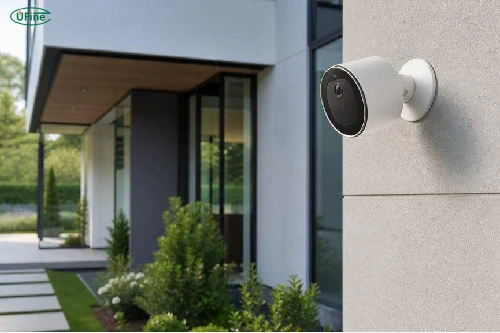
A battery-powered security camera typically stays in a low-power state until it needs to detect motion, record an event, or communicate with your phone. The more frequently these activities occur, the more energy the camera uses.
Frequent motion events and Live View sessions
One of the most common reasons for rapid battery drain is excessive activity. A camera facing a busy sidewalk, driveway, or road may detect dozens of events throughout the day. Each event can involve waking the camera, recording video, and transmitting data.
Opening Live View frequently or using two-way audio can also increase power consumption. Even if you rarely check the camera yourself, repeated motion-triggered recordings can shorten battery life.
Try reviewing your event history in the Ring app. Adjust Motion Zones and sensitivity to reduce unnecessary recordings without compromising important areas of your property. You can also review Power Settings to identify features that use additional energy.
Weak Wi-Fi signal
A weak or unstable Wi-Fi connection can contribute to faster battery drain. When a camera repeatedly disconnects and reconnects, maintaining reliable communication may require additional power.
Check the device’s Network Signal Strength or RSSI reading in the Ring app. A more negative RSSI value generally indicates a weaker signal. If the connection is poor, consider improving router coverage or reducing physical obstacles between the router and camera.
Cold weather and extreme temperatures
Temperature has a direct effect on rechargeable lithium batteries. In cold conditions, electrochemical reactions slow down and internal resistance increases. The battery may deliver less usable energy, making the camera appear to run out of power sooner.
High temperatures create a different problem. Although a warm battery may temporarily perform better than a cold one, prolonged heat accelerates chemical aging and can shorten its overall service life.
Ring notes that extreme temperatures can reduce battery life or prevent charging. Its stated operating range is approximately -20°C to 50°C, but the applicable limits depend on the device and operating conditions. Always follow the specifications for your particular model.
Ring
Battery aging and capacity loss
Rechargeable batteries gradually lose capacity as they age. Over time, chemical changes inside the cell reduce the amount of energy it can store and deliver.
Internal resistance may also increase, causing a larger voltage drop when the camera draws power. As a result, an older battery may show a high charge level but still provide considerably less runtime than it did when new.
Battery aging is influenced by temperature, charging and discharging patterns, storage conditions, and overall usage. If your camera’s runtime has steadily declined over months or years, battery degradation may be part of the problem.
Power-hungry settings and usage patterns
Recording duration, motion detection settings, frequent alerts, and other active features can all affect runtime. The impact varies by camera model and how it is configured.
The best starting point is to check the power usage information in the Ring app rather than changing every setting at once. This helps you identify which features are actually contributing to the problem.
Part 2. How to diagnose a Ring camera battery that drains too quickly
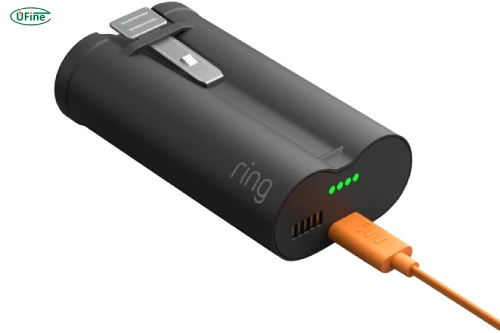
Before buying a replacement battery, try to determine whether the problem comes from usage, the environment, or the battery itself.
Start by checking the battery percentage and recent event history in the Ring app. If the camera records far more events than usual, excessive activity may explain the sudden drop. If the problem started during a cold spell, temperature is another likely factor.
Next, make one change at a time. For example, reduce unnecessary motion alerts and observe whether the discharge rate improves under similar weather conditions. If the camera still loses charge unusually quickly with stable Wi-Fi and reasonable activity levels, battery aging or a hardware issue becomes more plausible.
| What You Notice | Possible Explanation |
|---|---|
| Battery drops quickly on busy days | Frequent motion events or Live View |
| Runtime worsens in cold weather | Reduced available battery capacity |
| Battery drains despite little activity | Weak Wi-Fi, aging, or a device issue |
| Charge level drops suddenly | Battery degradation or inaccurate charge reporting |
| Problem starts after installation changes | Different signal strength, motion coverage, or settings |
These are clues, not definitive diagnoses. Several factors can occur together, so compare the symptoms with the camera’s operating conditions before deciding what to do next.
Part 3. What should I do if my Ring camera battery isn’t charging?
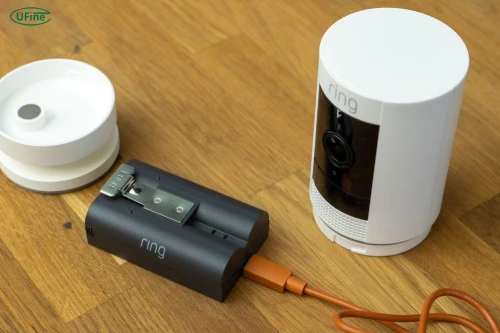
A battery that won’t charge requires a slightly different approach from one that simply drains too quickly. Work through the likely causes before assuming the battery needs replacing.
Check the charging cable and power source
Start with the simplest possibility: a faulty cable, adapter, or outlet. Test the outlet with another device, then try a compatible charging cable and power source that meet your model’s requirements.
Allow enough time for charging to complete. Ring states that some batteries can take up to 10 hours to charge fully, so a short charging session does not necessarily indicate a fault. If the charge level does not change after a reasonable period, investigate the connection and charging equipment.
Check the battery temperature
If the camera has been exposed to freezing weather or direct sunlight, the battery may be outside its permitted charging temperature range.
Move a removable battery to a suitable indoor environment and let it return naturally to the manufacturer’s recommended temperature range. Do not use a heater or hot air to warm it. Likewise, let an overheated battery cool naturally before attempting to charge it again.
Inspect the charging port and battery contacts
Look for visible dirt, moisture, corrosion, or damage around the charging port and battery contacts. Disconnect the power before inspecting the connections, and follow the manufacturer’s cleaning instructions.
Avoid scraping contacts with metal objects or putting liquid into the port. If you notice corrosion or physical damage, seek appropriate support instead of attempting a repair yourself.
Reinstall the removable battery correctly
For models with removable battery packs, check that the battery is seated and locked correctly after charging. A loose connection can prevent the camera from recognizing the battery’s updated charge level.
If the battery percentage in the app does not change after reinstallation, check Device Health again and allow the status to refresh. For models with built-in batteries, do not dismantle the camera to perform this check.
Determine whether the battery or charging system is faulty
If the cable and power source are working, the temperature is appropriate, and the connections are secure, the fault may lie with the battery or the camera’s charging system.
Where practical, test with a compatible battery known to work correctly. If the alternative battery charges normally, the original battery may be the issue. If neither battery works, the camera or its charging connection may need professional diagnosis.
For model-specific instructions, consult
Ring’s official battery troubleshooting guide and battery charging instructions. The available procedures and indicators vary by model.
Part 4. How to tell whether your Ring camera battery needs replacing
Replacement becomes more likely when the battery repeatedly fails to hold a charge, runtime remains unusually short after other causes have been ruled out, or the battery cannot be charged using a compatible, working setup.
However, slow charging alone does not prove that a battery is worn out. Temperature, power delivery, and connection problems can produce similar symptoms.
Physical damage is a separate issue. If the battery is swollen, leaking, unusually hot, or visibly damaged, stop using and charging it. Do not squeeze, puncture, or dismantle the battery. Follow the manufacturer’s safety guidance for handling and disposal.
When choosing a replacement, confirm the exact model and battery specifications. Ring recommends genuine batteries because third-party packs may have incorrect specifications, fit poorly, report charge levels inaccurately, or drain too quickly. Similar dimensions or a higher mAh rating do not guarantee compatibility.
Ring
Part 5. How lithium battery technology affects runtime and charging
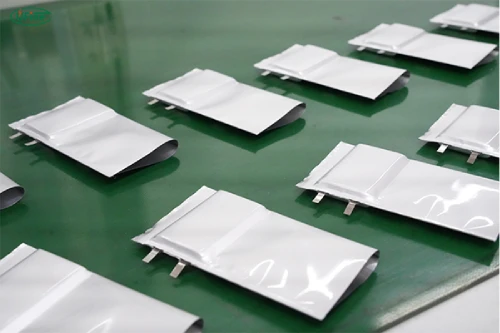
Understanding a few battery fundamentals makes it easier to distinguish normal behavior from a potential fault.
Battery capacity versus actual runtime
Battery capacity is commonly expressed in milliamp-hours (mAh), while watt-hours (Wh) account for both capacity and voltage. Neither figure alone tells you exactly how long a camera will run.
For example, a battery rated at 5,000 mAh and 3.7 V stores approximately 18.5 Wh of nominal energy. If a device averaged 0.5 W of power consumption, the theoretical runtime would be 37 hours. Actual runtime would differ because camera power consumption varies with activity, temperature, and operating conditions.
This is why a higher-capacity battery does not automatically guarantee longer runtime in every device. Voltage, compatibility, usable capacity, and the camera’s power requirements all matter.
Internal resistance and voltage drop
Internal resistance is an inherent property of a battery. It generally increases as a lithium battery ages and can also rise at low temperatures.
When the camera draws power, current passing through this resistance creates a voltage drop. If the voltage falls below the level required for stable operation, the device may behave unexpectedly or shut down even though some energy remains in the battery.
This helps explain why a battery can appear charged but still perform poorly under demanding conditions. It also explains why simply recharging an aging battery may not restore its original runtime.
Charging protection and battery management
Lithium battery packs may incorporate protection circuits to help prevent conditions such as overcharging, excessive discharge, overcurrent, and unsafe temperatures. The exact protections depend on the battery design.
These safeguards are important, but they cannot reverse normal chemical aging or make an incompatible charger safe. Always use charging equipment approved for your device, and never bypass battery protection systems.
Part 6. How to extend your Ring camera battery life
Once the immediate problem is resolved, a few practical changes can help reduce unnecessary charging.
First, optimize motion detection. Focus the camera on important entry points instead of busy areas that generate constant alerts. Keep essential security coverage intact while reducing false triggers.
Second, maintain a stable Wi-Fi connection. Check the signal at the camera’s actual mounting position, not just beside the router.
Third, protect the camera from extreme temperatures where possible. A shaded installation can help reduce heat exposure, while following the manufacturer’s cold-weather guidance can help prevent charging problems.
Finally, monitor battery performance over time. If charging becomes more frequent, compare the change with weather, activity levels, and network conditions. A gradual, persistent decline is more informative than a single low-battery reading.
FAQs
Why does my Ring camera battery drain overnight?
Frequent motion events, weak Wi-Fi, cold temperatures, or battery aging can all contribute. Check overnight event history and network status before assuming the battery is faulty.
How long does a Ring camera battery last?
Battery life varies by model, activity, temperature, and settings. Some devices can run for months between charges, but heavy usage or extreme weather may shorten that period considerably.
Can cold weather stop a Ring camera battery from charging?
Yes. Ring devices may suspend charging when temperatures fall outside their permitted range. Allow the battery to return naturally to the recommended charging temperature before trying again.
Can I use a higher-capacity replacement battery?
Only if it is specifically compatible with your camera. A higher mAh rating does not guarantee safe operation, accurate battery reporting, or a proper fit.
How do I know if my Ring camera battery is dead?
A battery that repeatedly fails to charge or holds very little usable energy may need replacing. First rule out charging equipment, temperature, and connection problems.
Related Tags:

More Articles

Why Do 18650 Battery Packs Get Hot During Discharge?
Is your 18650 battery pack overheating under load? Learn what causes excess heat, how to spot dangerous symptoms, and what to do next.
18650 Battery BMS: How to Get the Specs Right
Learn how to choose a BMS for an 18650 battery pack. Compare voltage, current ratings, protection features, and balancing before you buy.
Battery Pack Overheating? Causes and Solutions
Is your battery pack getting too hot? Learn the common causes, identify potential risks, and discover practical ways to prevent overheating.
How to Select Battery Wire Gauge for High-Current Robot Applications
Not sure which wire gauge your robot needs? Compare AWG sizes, calculate current and voltage drop, and find a safer battery wiring solution.
How to Reduce Standby Power Drain in Battery-Powered Robots
Learn how to measure robot standby current, calculate battery drain, and optimize sensors, wireless modules, and power management.