- Key takeaways
- Part 1. What percentage should you charge a battery to?
- Part 2. Battery health vs. battery charge percentage
- Part 3. How do lithium-ion batteries work?
- Part 4. Why is 20% to 80% considered the optimal battery charging range?
- Part 5. Is charging a battery to 100% bad?
- Part 6. Is it bad to let a battery drop to 0%?
- Part 7. Best charging percentage by device type
- Part 8. What percentage should you charge your phone?
- Part 9. How battery charging limits and smart charging work
- Part 10. Battery health charging for electric vehicles
- Part 11. Charging habits that can reduce battery lifespan
- Part 12. How long does a full charge last?
- Part 13. Practical charging routine
- Part 14. Charging design for custom batteries
- Part 15. FAQs about battery health charging percentage
For most lithium-ion batteries, keeping the charge between 20% and 80% is a practical daily range that helps reduce stress from extreme charge levels.
Key takeaways
- 20% to 80% is a practical daily range for most lithium-ion batteries.
- Start charging at 20% to 30%. No need to wait until empty.
- Charging to 100% is fine when needed. Avoid keeping the battery hot and full for long.
- Avoid frequent drops to 0%. Deep cycles can speed up wear.
- Heat often affects battery aging more than small changes in charge level.
- Use charging optimization or a charge limit if your device supports it.
- For custom batteries, always follow the cell’s voltage, current, and temperature limits.
Part 1. What percentage should you charge a battery to?
For daily use, aim for about 80%. Recharge when the battery drops to 20% to 30%. This reduces stress from high voltage and deep discharge.
Microsoft also suggests keeping lithium-ion batteries in a moderate range, around 20% to 80%. Still, the best level depends on your usage and device design. See Microsoft’s battery care guide for more details.
| Charging Situation | Suggested Battery Percentage | Reason |
|---|---|---|
| Normal daily use | 20%–80% | Balances runtime and battery life |
| Heavy-use day | 20%–90% | Gives more runtime with limited stress |
| Travel or long use | Up to 100% | Maximizes available energy |
| Long-term storage | 40%–60% | Avoids stress from full or empty states |
| Recharge point | 20%–30% | Prevents deep discharge |
The 20–80% rule is a guideline, not a strict rule. Always follow the device or battery maker’s instructions.
Part 2. Battery health vs. battery charge percentage
Battery health and charge percentage are not the same.
- Charge percentage shows how much energy is left. It is also called state of charge (SoC).
- Battery health shows how much capacity remains compared to when new. This is called state of health (SoH).
For example, a battery at 80% health holds about 80% of its original energy. It can still show 100% charge because that is 100% of its current capacity.
The percentage shown on your device is an estimate. It depends on temperature, usage, and calibration. It does not directly show battery health.
Learn more about the difference between battery percentage, voltage, and state of charge.
Part 3. How do lithium-ion batteries work?
Lithium-ion batteries power most modern devices. During charging, lithium ions move to the negative electrode. During use, they move back and release energy.
They age in two main ways:
- Calendar aging: Capacity drops over time, even without use.
- Cycle aging: Charging and discharging slowly wear the battery.
A full cycle does not always mean 0% to 100%. Using 50% today and 50% tomorrow equals one full cycle.
Read more about battery charge cycles.
Part 4. Why is 20% to 80% considered the optimal battery charging range?
This range avoids both high and low extremes.
1. High charge levels increase cell voltage
Near full charge, voltage rises. Higher voltage means more stress inside the battery.
Charging above 80% is not harmful by itself. The issue is staying at high charge for long periods, especially when hot.
2. Very low charge levels increase discharge depth
Devices shut down before unsafe levels. But frequent full discharges (100% to 0%) increase wear.
Also, a battery left empty can keep losing charge. Recharge before storage.
3. Partial charging reduces stress
Charging between 20% and 80% avoids both extremes. This helps reduce long-term wear.
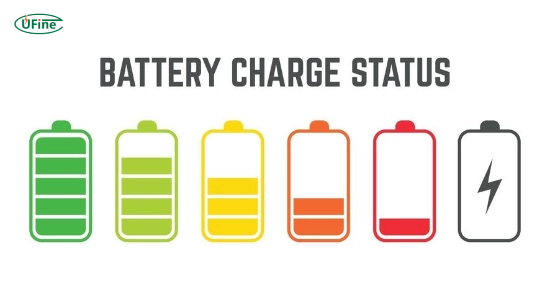
Part 5. Is charging a battery to 100% bad?
No. Charging to 100% is safe. Devices control voltage and current automatically.
However, staying at 100% for long periods can speed up aging, especially in heat. That is why many devices slow down charging near full.
Charge to 100% when you need:
- Long travel
- Full-day use
- Maximum runtime
For daily use, 80% or 90% is often enough.
Part 6. Is it bad to let a battery drop to 0%?
Occasional drops to 0% are safe. Devices have protection systems.
But frequent deep discharge increases wear. Try to recharge at 20% to 30%.
Do not store a battery at 0%. Recharge it before long storage.
Part 7. Best charging percentage by device type
| Device | Daily Range | Use 100% When | Notes |
|---|---|---|---|
| Smartphone | 20%–80% | Travel or heavy use | Use optimized charging |
| Laptop | 20%–80% | Long work sessions | Set charge limit if plugged in often |
| Tablet | 20%–80% | Long sessions | Avoid heat |
| Wearable | 20%–80% | Outdoor use | Small batteries heat faster |
| EV | Follow manufacturer | Before long trips | Varies by model |
| Custom battery | Depends on design | When needed | Must follow specs |
Part 8. What percentage should you charge your phone?
Charge your phone to about 80% for daily use. Recharge at 20% to 30%. Use 100% when needed.
- Start charging at 20%–30%
- Stop at 80% when possible
- Use 100% for long days
- Avoid heat at full charge
Do not try to keep an exact percentage all the time. A simple routine works better.
Part 9. How battery charging limits and smart charging work
Modern devices reduce time at full charge. Some delay charging above 80%. Others let you set a limit.
iPhone
iPhones use Optimized Battery Charging. It delays charging above 80% based on your habits. See Apple’s guide.
Google Pixel
Pixel phones offer Adaptive Charging and an 80% limit. See Google’s guide.
Windows / Surface
Some Surface devices limit charging to 80%. See Microsoft’s guide.
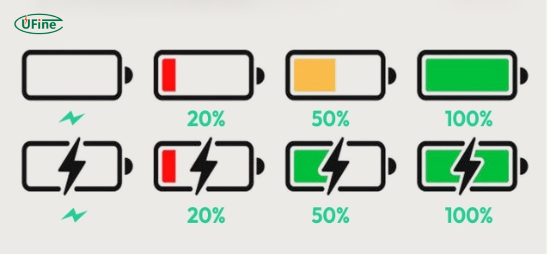
Part 10. Battery health charging for electric vehicles
EV batteries are larger and more complex. Follow the manufacturer’s advice.
Many drivers use lower daily limits and charge to 100% before trips.
For example, Tesla recommends keeping daily charge around 80% and using 100% when needed. See Tesla’s guide.
Part 11. Charging habits that can reduce battery lifespan
1. High temperature
Heat speeds up battery aging. Avoid charging in hot places.
2. Heat + full charge
High charge and heat together increase wear.
3. Frequent 0%
Deep cycles increase stress.
4. Wrong charger
Use compatible chargers to avoid heat and instability.
5. Heavy use while charging
High load plus charging increases heat.
6. Unnecessary fast charging
Fast charging is safe but can create more heat. Use it when needed. Learn more about how fast charging affects battery life.
Part 12. How long does a full charge last?
Runtime depends on many factors:
- Battery size
- Power use
- Brightness
- Signal strength
- Workload
- Temperature
- Battery age
Runtime = Battery energy (Wh) ÷ Power (W)
Example: 15Wh ÷ 3W = 5 hours.
See more about rechargeable battery runtime per charge.
Part 13. Practical charging routine
- Charge at 20%–30%
- Stop at 80% when possible
- Use optimization features
- Keep device cool
- Use proper charger
- Avoid heavy load when hot
- Use 100% when needed
- Store at 40%–60%
Part 14. Charging design for custom batteries
For custom products, follow engineering rules.
- Voltage: Follow cell specs
- Current: Match design limits
- Method: Use correct charging profile
- Cutoff: Prevent deep discharge
- Protection: Include safety circuits
- Temperature: Monitor with sensors
- Thermal design: Test under load
- Charge limit: Add if needed
- Accuracy: Validate battery readings
For custom solutions, visit Ufine Battery.
Part 15. FAQs about battery health charging percentage
What percentage should you charge your phone, and at what percentage should you start charging?
Start charging at 20%–30%. Stop at around 80% for daily use. Charge to 90%–100% when you need longer battery life.
Is charging to 80% better than charging to 100%?
Charging to 80% helps reduce battery wear by limiting high voltage exposure. Charging to 100% is fine when full capacity is needed.
Is it safe to leave a phone or laptop charging overnight?
Yes. Modern devices have charging protection. Use optimized charging if available, keep the device cool, and use a compatible charger.
How long does a full charge last?
Battery life depends on capacity, power usage, temperature, and battery health. Estimate runtime: battery energy (Wh) ÷ average power (W).
Should I use an 80% battery charging limit?
Use an 80% limit for daily use or when plugged in often. Disable it when you need maximum battery capacity, such as during travel.
Related Tags:

More Articles

Can Power Bank Charge an Action Camera Battery?
Find out which power banks work with action cameras, whether you can record while charging, and what to use when your camera runs out of power.
Compare DJI Osmo batteries by model, capacity, runtime, and compatibility. Find the right battery before you buy and avoid costly mistakes.
Are GoPro Batteries Interchangeable? A Model-by-Model Guide
Compare GoPro batteries by model, price, capacity, and runtime. Find compatible options, avoid costly mistakes, and choose the best battery for you.
How to Reduce Power Consumption and Extend Battery Life
Discover practical ways to reduce power consumption, eliminate hidden energy waste, and extend battery life in portable electronic devices
Power Consumption Calculator: Calculate Watts & Battery Life
Find out how much power your electronic device consumes. Learn easy calculations, understand battery energy, and estimate runtime before choosing a battery.