- Key takeaways
- Part 1. DJI Osmo battery comparison at a glance
- Part 2. Which battery does each DJI Osmo model use?
- Part 3. DJI Osmo battery compatibility: which batteries can you swap?
- Part 4. DJI Osmo battery life compared by model
- Part 5. DJI Osmo battery prices compared
- Part 6. How to choose the right DJI Osmo battery
- Final thoughts
- FAQs
If you are shopping for DJI Osmo batteries, knowing the capacity is only the beginning. You also need to check compatibility, charging speed, replacement options, and price. Some Osmo Action batteries work across several generations, while Osmo Pocket cameras have built-in batteries that cannot be swapped like standard action-camera batteries.
This guide compares the major Osmo battery platforms to help you choose the right option for your camera and shooting style.
Key takeaways
-
Check your camera model first. Osmo Action, Osmo Pocket, and Osmo 360 do not all use the same battery design.
-
Compare watt-hours as well as mAh. Voltage affects how much energy a battery stores, so mAh alone can be misleading.
-
Some Osmo Action batteries are cross-compatible. DJI lists compatible batteries for several generations, but you should verify the exact accessory.
-
Official runtime is a benchmark, not a guarantee. Recording resolution, frame rate, temperature, and screen use all affect battery life.
-
Compare the total cost. A multi-battery kit may offer better value than buying individual batteries, especially if you film for long periods.
Part 1. DJI Osmo battery comparison at a glance
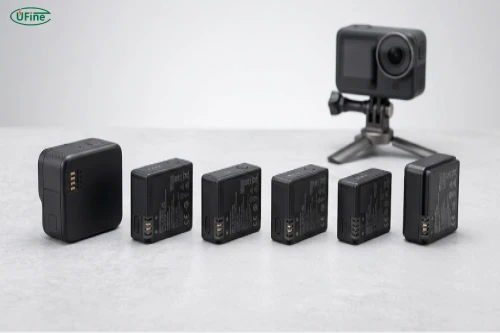
DJI’s Osmo lineup includes action cameras, pocket gimbal cameras, and 360-degree cameras with different battery designs. The latest Osmo Action 6 uses a 1,950mAh battery rated at 7.5Wh, while the Osmo Pocket 4 has a built-in 1,545mAh battery rated at 11.95Wh. Both advertise up to 240 minutes of operating time under specified test conditions. These figures come from DJI’s official specifications, but they do not mean the cameras deliver identical real-world battery life.
The table below covers several popular models and their main battery specifications.
|
Camera model |
Battery design |
Capacity |
Energy |
Official maximum runtime |
|---|---|---|---|---|
|
Osmo Action 6 |
Removable Li-ion |
1,950mAh |
7.5Wh |
Up to 240 min |
|
Osmo Action 5 Pro |
Removable Li-ion |
1,950mAh |
7.5Wh |
Up to 240 min |
|
Osmo Action 4 |
Removable LiPo |
1,770mAh |
6.8Wh |
Up to 160 min |
|
Osmo Action 3 |
Removable battery |
1,770mAh |
Verify official test |
Up to 160 min under specified conditions |
|
Osmo Pocket 4 |
Built-in Li-ion |
1,545mAh |
11.95Wh |
Up to 240 min |
|
Osmo Pocket 3 |
Built-in Li-ion |
1,300mAh |
10.01Wh |
Up to 166 min |
|
Original Osmo Pocket |
Built-in battery |
875mAh |
6.738Wh |
Up to 140 min |
Sources: DJI’s official camera specifications and product comparison pages. Runtime figures were measured under different conditions and should not be treated as a direct performance ranking.
One important detail stands out: the Osmo Pocket 4 has a lower mAh rating than the Osmo Action 6 but a higher energy rating in watt-hours. That is because the two batteries operate at different voltages.
In simple terms, mAh measures electrical charge capacity, while Wh provides a more useful indication of stored energy when comparing batteries with different voltages. Neither number alone tells you exactly how long a camera will run.
Recommended authoritative links
Part 2. Which battery does each DJI Osmo model use?
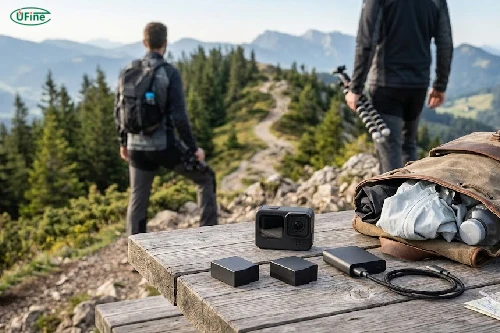
DJI’s Osmo products fall into three main groups, and understanding the differences makes shopping much easier.
- Osmo Action series: These cameras use removable batteries, making it relatively easy to carry spares and swap them during a shoot. The Action 6 and Action 5 Pro use 1,950mAh batteries, while the Action 4 and Action 3 use the 1,770mAh battery platform. DJI sells Extreme Battery and Extreme Battery Plus options for compatible models.
- Osmo Pocket series: The Pocket 4, Pocket 3, and original Pocket have built-in batteries. You cannot simply remove the internal battery and insert a spare while filming. Instead, you can recharge between sessions or consider a supported battery handle where available.
- Osmo 360: This camera has its own accessory requirements, but DJI lists both the Extreme Battery and Extreme Battery Plus among compatible options. Always check the specific accessory listing before ordering, especially when buying batteries intended for use across multiple Osmo generations.
The key takeaway is simple: Identify your exact camera first, then choose a battery or power accessory designed for that model.
Part 3. DJI Osmo battery compatibility: which batteries can you swap?
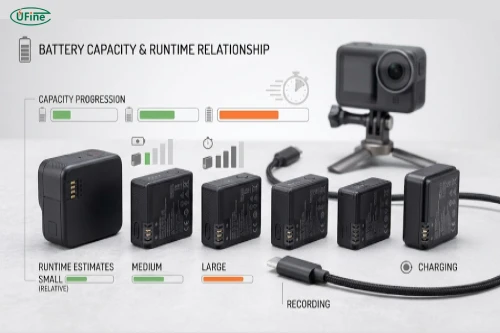
Compatibility is one of the biggest concerns when buying DJI Osmo batteries. A battery that fits one camera may not work in another, even if both products belong to the same brand.
DJI’s 1,770mAh Extreme Battery is listed as compatible with Osmo Action 3, Action 4, Action 5 Pro, Action 6, and Osmo 360. The 1,950mAh Extreme Battery Plus is also listed for these camera models. This makes these accessories particularly useful for people who own several compatible Osmo cameras.
However, do not assume every battery from an older generation will work with every newer camera. Check the official compatibility list for the exact battery accessory, rather than relying on capacity or appearance.
Pocket cameras are different. Their built-in batteries are not interchangeable with removable Osmo Action batteries. A battery handle or external power solution may help extend recording time, but it is not the same as replacing the internal battery.
Before purchasing, confirm three things: the full camera model name, the exact battery accessory name, and whether your preferred charger supports it.
Part 4. DJI Osmo battery life compared by model
Battery life depends on more than capacity. DJI’s official maximum runtime figures are useful reference points, but they are measured under controlled conditions.
For example, the Osmo Action 6 can run for up to 240 minutes when recording 1080p/24fps video at 25°C, with RockSteady enabled, Wi-Fi and voice controls disabled, and the screens off. The Osmo Pocket 4 also advertises up to 240 minutes at 1080p/24fps, with Wi-Fi and the screen off. These are not equivalent tests in every respect, so they should not be interpreted as proof that both cameras perform identically in daily use.
In practice, your recording settings make a significant difference.
-
Higher resolution and frame rates: Recording demanding video modes typically increases power consumption.
-
Screen use: Keeping the display on continuously can reduce runtime.
-
Wireless features: Wi-Fi and other connected functions may consume additional power.
-
Temperature: Cold conditions can temporarily reduce available battery performance.
-
Battery age: Repeated use and aging can reduce usable capacity over time.
If you regularly shoot 4K video, slow motion, or long action sequences, plan for shorter runtimes than the maximum advertised figures. Carrying a spare battery is often more practical than expecting one battery to last an entire day.
Part 5. DJI Osmo battery prices compared
Price is another important factor, particularly if you need multiple batteries and a charging accessory.
DJI’s Singapore-region store listings recently showed the Osmo Action Extreme Battery at US$25 and the 1,950mAh Extreme Battery Plus at US$25. Both listings indicated that the products were out of stock when retrieved, so these figures should be treated as recent listed prices rather than guaranteed current purchase prices.
|
Battery or accessory |
Price reference |
What to consider |
|---|---|---|
|
Osmo Action Extreme Battery, 1,770mAh |
US$25 listed |
Standard replacement or spare |
|
Osmo Action Extreme Battery Plus, 1,950mAh |
US$25 listed |
Higher capacity for compatible models |
|
Multi-battery charging kit |
Verify current regional price |
Convenient for frequent filming |
|
Osmo Pocket battery handle |
Verify model and current price |
Adds power without swapping the internal battery |
|
Third-party replacement battery |
Varies by supplier |
Check compatibility, safety, and warranty terms |
Prices and availability vary by country, retailer, and promotion. Before buying, compare the cost per battery rather than just the total kit price. A charging case can be worthwhile if it lets you charge several batteries between recording sessions, but it may be unnecessary if you only need one spare.
For third-party batteries, a lower price does not automatically mean better value. Consider the stated capacity, build quality, protection features, seller reputation, and return policy.
Part 6. How to choose the right DJI Osmo battery
The best option depends on how you use your camera.
If you film travel videos or everyday activities, one compatible spare battery may be enough to avoid interruptions. For hiking, skiing, or other outdoor adventures, look for batteries designed to operate in the temperatures you expect to encounter.
If you record long sessions, a multi-battery kit and charging case can make your setup much more convenient. For an Osmo Pocket camera, a compatible battery handle or supported external power source may be more useful than searching for a removable replacement battery.
Budget-conscious buyers should compare the complete cost of ownership: the battery itself, any required charger, expected runtime, and how often you need to recharge. Always prioritize a verified compatible battery over a cheap option with unclear specifications.
How to extend DJI Osmo battery life
A few simple habits can help you get more from each charge. Use the resolution and frame rate you actually need instead of always recording at the highest setting. Turn off wireless functions when you do not need them, and avoid leaving the screen on unnecessarily.
In cold weather, keep spare batteries in a protected pocket until you need them. Store batteries in a cool, dry place and follow DJI’s guidance for charging and long-term storage. Avoid charging batteries outside their specified temperature range.
If a battery becomes swollen, leaks, or shows physical damage, stop using it. Replacing a damaged battery is safer than trying to extend its life.
Final thoughts
Choosing the right DJI Osmo battery comes down to compatibility, real-world runtime, charging convenience, and cost. Removable batteries make the Osmo Action series easy to equip with spares, while Osmo Pocket users may benefit more from supported battery handles or external power.
Before ordering, confirm your exact model and compare official specifications rather than relying on capacity alone. With the right battery setup, you can spend more time recording and less time worrying about your next charge.
FAQs
Are DJI Osmo batteries interchangeable between models?
Some are. DJI lists certain Extreme Battery accessories as compatible with multiple Osmo Action generations and Osmo 360. Always verify the exact accessory and camera model.
Which DJI Osmo camera has the longest battery life?
The Osmo Action 6 and Osmo Pocket 4 both advertise up to 240 minutes under specified conditions. Actual runtime varies with recording settings and use.
What is the difference between Extreme Battery and Extreme Battery Plus?
The listed capacities are 1,770mAh for Extreme Battery and 1,950mAh for Extreme Battery Plus. Check DJI’s compatibility list before choosing between them.
Can I use a higher-capacity battery in my DJI Osmo camera?
Only if DJI lists that battery as compatible with your model. Capacity alone does not establish physical or electrical compatibility.
Why does my DJI Osmo battery drain faster than expected?
High-resolution recording, frequent screen use, wireless features, cold conditions, and battery aging can all contribute to shorter runtime.
Can I replace the built-in battery in an Osmo Pocket camera?
The battery is built into the camera rather than designed for routine swapping. For replacement, consult DJI or an authorized service provider.
Is a DJI Osmo battery charging hub worth buying?
It can be useful if you regularly use several batteries. Compare its price and charging capabilities with your actual filming schedule before purchasing.
Related Tags:

More Articles

Are GoPro Batteries Interchangeable? A Model-by-Model Guide
Compare GoPro batteries by model, price, capacity, and runtime. Find compatible options, avoid costly mistakes, and choose the best battery for you.
How to Reduce Power Consumption in Battery-Powered Devices?
Discover practical ways to reduce power consumption, eliminate hidden energy waste, and extend battery life in portable electronic devices
Power Consumption Calculator: Calculate Watts & Battery Life
Find out how much power your electronic device consumes. Learn easy calculations, understand battery energy, and estimate runtime before choosing a battery.
Buck vs. Boost vs. Buck-Boost Converter: Which Is Best for Battery?
Not sure which converter your battery-powered device needs? Compare Buck, Boost, and Buck-Boost designs and discover what affects voltage stability and runtime.
How to Match 18650 Cells for a Reliable Battery Pack?
Building an 18650 battery pack? Learn how to compare cell capacity, voltage, and internal resistance to avoid mismatches and improve reliability.