- Key Takeaways
- Part 1. Why lithium batteries lose power
- Part 2. Common battery problems & quick diagnosis
- Part 3. Tools and materials you actually need
- Part 4. Easy troubleshooting you can try first
- Part 5. Cell-level repair: when DIY gets a bit technical
- Part 6. Professional repair techniques
- Part 7. Safety tips you must follow
- Part 8. Extend battery life after repair
- Part 9. Wrap-up: Is lithium battery repair worth it?
- Part 10. FAQs
Key Takeaways
- You don’t always need to buy a new battery — many lithium battery issues can be fixed with safe, practical methods.
- Start with easy troubleshooting before moving to cell-level repairs.
- Always prioritize safety — lithium batteries can be dangerous if mishandled.
- With the right steps, you can restore your battery’s performance and extend its lifespan.
Lithium batteries power many of our everyday devices — from laptops and phones to power tools and e-bikes. Over time, they can lose capacity, stop holding a charge, or behave erratically.
Before spending money on a replacement, you can try lithium battery repair techniques.
Part 1. Why lithium batteries lose power
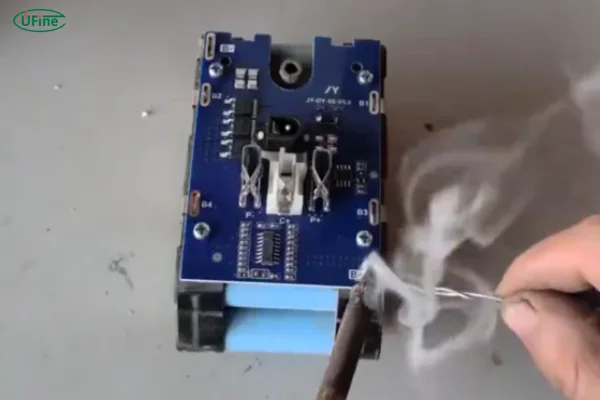
Lithium-ion batteries naturally degrade over time, but some issues are not permanent. Common causes include:
- Dirty or corroded terminals — this can block proper current flow
- Cell imbalance — a weak cell can affect the whole battery pack
- BMS glitches — Battery Management System can misread the battery state
- Physical damage or overheating
If your battery seems dead, it might just need the right repair technique — not a full replacement.
Swelling or overheating is usually a sign of chemical or physical degradation. For concerns about leaks or electrolyte issues, refer to Do Lithium Batteries Leak? 5 Detection Methods to learn safe detection and prevention methods.
Part 2. Common battery problems & quick diagnosis
Lithium batteries often show specific signs before failing completely.
For example, a battery that won’t charge may have a deeply discharged or dead cell. If it charges but dies quickly, this usually indicates cell imbalance, where one weak cell drags down the pack.
Swollen or overheating batteries often point to chemical or physical degradation. Sometimes, the Battery Management System (BMS) can lock up, making a battery appear dead even when the cells are fine.
To quickly identify the issue, you can check the cell voltage and compare it with the likely cause. A quick reference table helps:
| Symptom | Voltage | Likely Cause | Suggested Action |
|---|---|---|---|
| Won’t charge | <3.0V per cell | Deep discharge / dead cell | Replace weak cells |
| Charges but dies quickly | 3.5–3.6V per cell | Cell imbalance | Balance cells individually |
| Swollen | N/A | Physical/chemical degradation | Replace battery |
| BMS prevents charging | N/A | BMS lock | Reset or replace BMS |
A battery that won’t charge may have a deeply discharged or dead cell, while one that charges but dies quickly often has cell imbalance. If you want to learn more about internal battery issues, check out Everything You Should Know About Bad Battery Cells
to help identify damaged cells.
Part 3. Tools and materials you actually need
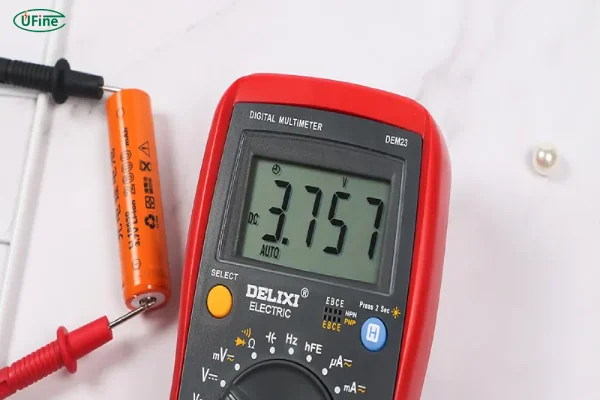
Before attempting any repair, gather the right tools. You’ll need a multimeter to check each cell’s voltage and a small soldering iron if you plan to replace weak cells or repair BMS connections. For cleaning, use a cotton cloth and fine sandpaper. Protective gear — gloves, safety glasses, and a mask — is essential, as even small mistakes can produce sparks or toxic fumes.
Some helpful tips:
- Label each wire and cell before disassembly to avoid confusion.
- Keep a small container for screws and parts to prevent losing them.
- Use a non-conductive surface when working to reduce short-circuit risk.
Part 4. Easy troubleshooting you can try first
Start with the low-risk, high-impact methods that often solve the problem quickly.
Clean the Terminals
Corrosion or dirt can block power delivery. Use a cotton cloth or fine sandpaper to clean the terminals. After cleaning, apply a thin layer of petroleum jelly to slow future corrosion.
Check Connections
Loose wires or dirty connectors can make a battery misbehave. Inspect all connections and reseat them if necessary.
BMS Reset
Modern lithium batteries have a Battery Management System (BMS) to protect the pack. Sometimes, the BMS locks up. You can reset it by discharging the battery to 20–30%, disconnecting all loads, and letting it rest for 2–4 hours.
For more on how lithium batteries work, see Battery University (nofollow).
Part 5. Cell-level repair: when DIY gets a bit technical
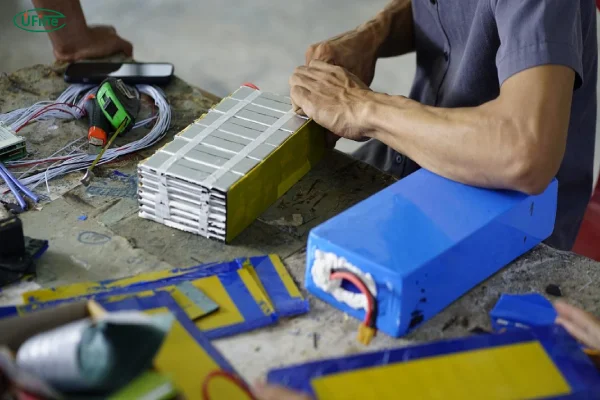
If simple fixes don’t work, checking the individual cells is next. Most lithium packs are just groups of cells wired together — one weak cell can ruin overall performance.
Diagnose Individual Cells
Use a multimeter to measure each cell’s voltage.
| Symptom | Voltage | Likely Cause | Suggested Action |
|---|---|---|---|
| Won’t charge | <3.0V | Deep discharge / dead cell | Replace cell |
| Charges but dies quickly | 3.5–3.6V | Cell imbalance | Balance cells individually |
| Swollen battery | N/A | Physical/chemical degradation | Replace battery, do not repair |
| BMS prevents charging | N/A | BMS lock | Reset or replace BMS |
Replace Weak Cells
- Identify cells below 3.6V.
- Carefully desolder the weak cell.
- Replace with a cell of exact same rating (capacity and discharge current).
- Limit soldering time to <3 seconds to avoid overheating.
Balance Cells
- Charge each cell individually to 3.7–4.2V until all voltages match (tolerance <0.02V).
- Reassemble the pack once balanced — this prevents overcharging any single cell and improves battery life.
After replacement, balance the cells by charging each individually to 3.7–4.2V until all cells match within a small tolerance. To learn more about proper balancing techniques, see What Is Cell Balancing for Lithium-Ion Battery Packs
Part 6. Professional repair techniques
Some steps are too risky for DIY and require trained technicians.
- Electrolyte Replacement — highly flammable; only in a controlled lab environment
- BMS Replacement / Repair — involves micro-soldering and circuit knowledge
- Advanced Cell Analysis — using tools like impedance spectroscopy to detect weak cells
Part 7. Safety tips you must follow
Lithium batteries contain flammable materials and toxic fumes. Never skip safety:
- Wear PPE: Gloves, safety glasses, mask
- Work in a ventilated area
- Keep a fire extinguisher nearby
- Work on non-flammable surface
- Discharge before repair: reduces stored energy and fire risk
Even simple tasks like soldering can be dangerous if the battery overheats.
Part 8. Extend battery life after repair
After repair, proper maintenance extends battery life. Avoid fully charging to 100% or discharging to 0%; keeping the charge between 20–80% reduces stress on cells. Store batteries in a cool, dry place (15–25°C, low humidity) and check voltage every 2–3 months to catch imbalances early.
A small table for quick reference:
| Tip | Benefit |
|---|---|
| Charge to 80% | Reduces cell stress |
| Avoid deep discharge | Maintains capacity longer |
| Cool, dry storage | Slows degradation |
| Regular voltage checks | Detects early issues |
With consistent care, your repaired battery can perform reliably for a much longer time, saving both money and reducing e-waste.
Part 9. Wrap-up: Is lithium battery repair worth it?
Repairing a lithium battery can save money, reduce electronic waste, and extend device life.
While not every battery can be fixed, you now have the tools to diagnose problems, perform simple repairs, and know when to call a professional.
With careful handling and attention to safety, you can restore many lithium batteries to full or near-full performance — and avoid unnecessary replacements.
Part 10. FAQs
Can a lithium battery be repaired if it’s physically damaged?
Some minor dents can be repaired with custom casings, but severe physical or chemical damage usually requires full replacement for safety.
How can I tell if a battery cell is weak before replacing it?
Measure individual cell voltage under load. Cells that drop significantly faster than others are likely weak.
Is balancing cells necessary after every minor repair?
Yes, even replacing a single weak cell can create imbalance, so balancing ensures safe, full charging for all cells.
Can repairing a battery at home void device warranties?
Yes. Any DIY battery repair typically voids manufacturer warranties. Always weigh cost vs. warranty before starting.
Related Tags:

More Articles
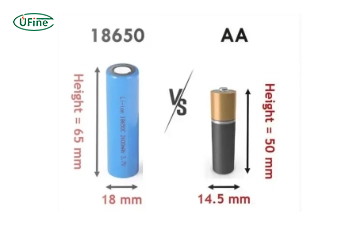
18650 Battery vs AA: Which Is Better for Your Device?
Compare 18650 vs AA batteries in capacity, voltage, rechargeability, and applications. Learn which battery type fits high-drain or everyday devices.
What is the Difference Between Battery Cell, Battery Control Module, and Battery Pack?
Compare battery cells, modules, and packs. Learn functions, design differences, control modules, and selection tips for EV, ESS, and industrial use.
How to Prevent LiPo Battery Explosion?
Can LiPo batteries explode or catch fire? Learn key causes of LiPo battery fires and proven charging, storage, and handling tips to reduce explosion risk.
Aluminium Ion Battery vs Lithium-Ion: A Detailed Comparison
Compare aluminium ion battery vs lithium-ion battery in energy density, charging speed, safety, cost, and uses. A practical guide for engineers and buyers.
C vs D vs AA Battery: Size, Voltage, Capacity & Key Differences Explained
Compare AA, C, and D batteries by size, voltage, capacity, and lifespan. Learn the real difference between C and D batteries and which one you should use.