- Key takeaways
- Part 1. What standby power consumption means in battery-powered devices
- Part 2. What equipment you need to measure standby power
- Part 3. How to prepare a device for standby power measurement
- Part 4. How to measure standby current step by step
- Part 5. How to measure fluctuating standby current accurately
- Part 6. How to calculate standby power consumption
- Part 7. How to estimate battery life from standby current
- Part 8. Common mistakes when measuring standby power
- Part 9. How to reduce standby power consumption
- Part 10. How battery selection affects standby runtime
- Part 11. A practical standby power testing checklist
- Part 12. FAQs
In 2026, the International Electrotechnical Commission (IEC) updated IEC 62301, expanding its scope to include battery-powered and DC-powered devices when measuring standby and other non-active operating modes. The revision highlights the importance of reliable measurement methods, data logging, and measurement uncertainty when evaluating low-power performance. For engineers developing consumer electronics, accurately measuring standby power is essential for predicting battery life and improving product efficiency.
Even when a device’s screen is off, its processor, sensors, wireless modules, and power management circuits may continue drawing current. For compact products powered by lithium polymer (LiPo) batteries, this seemingly small current can significantly affect how long the device lasts between charges.
This guide explains how to measure standby power consumption, calculate expected battery life, identify common measurement errors, and optimize battery-powered devices for longer standby runtime.
Key takeaways
- Standby power consumption measures the energy a device uses when it is not performing its primary function.
- A digital multimeter may be sufficient for stable current measurements, while a precision analyzer is better for capturing low currents and short bursts.
- Average standby current is often more useful than a single instantaneous reading.
- Battery life depends on usable capacity, average current, self-discharge, and real operating conditions.
- Reducing standby consumption requires efficient circuit design, optimized firmware, and appropriate battery selection.
Part 1. What standby power consumption means in battery-powered devices
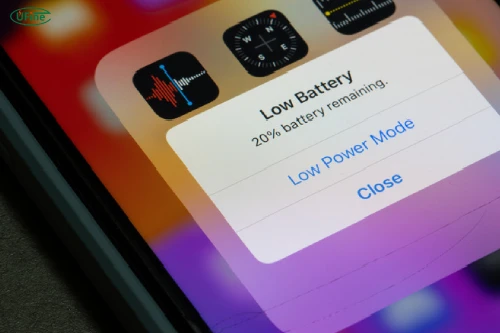
Standby power is the power a device consumes while waiting to resume its primary function. Depending on the product, this state may be called standby, idle, sleep, or low-power mode. These terms are not always interchangeable, so you should define the exact operating state before testing.
Common sources of standby consumption include:
- Microcontrollers: Maintain memory or periodically wake up to check device status.
- Wireless modules: Keep Bluetooth connections active or periodically scan for nearby devices.
- Sensors: Monitor temperature, movement, or other environmental conditions.
- Power management ICs: Regulate voltage and manage power distribution.
- Protection circuits: Monitor battery voltage and protect against abnormal operating conditions.
A device that appears inactive may therefore continue consuming energy. Measuring this current helps engineers identify unnecessary power usage and determine whether a product meets its battery-life target.
Part 2. What equipment you need to measure standby power
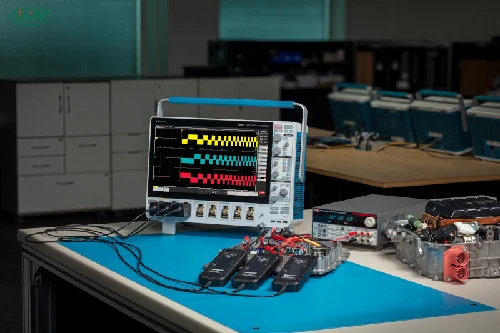
The appropriate instrument depends on the expected current level, how frequently the device wakes up, and the accuracy required.
A digital multimeter (DMM) can measure relatively stable standby current. However, a precision current analyzer or source measure unit (SMU) is more suitable when current falls into the microamp range or changes rapidly.
An oscilloscope with a suitable current probe or shunt resistor can help capture brief current spikes that slower instruments may miss.
When choosing equipment, consider four factors:
- Resolution: Can the instrument distinguish small changes in current?
- Accuracy: Is the measurement uncertainty low enough for your target?
- Burden voltage: Will the instrument introduce enough voltage drop to change device behavior?
- Sampling rate: Can it capture periodic wake-ups and short bursts of activity?
For more advanced testing, instruments that combine current measurement with data logging can reveal how power consumption changes over time.
provides additional technical context.
Part 3. How to prepare a device for standby power measurement
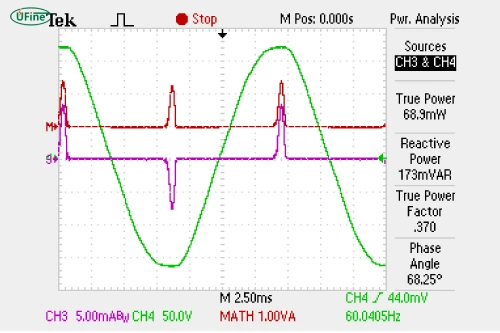
Before measuring battery standby power, establish consistent testing conditions. Otherwise, differences in firmware, battery voltage, or wireless activity may make results difficult to compare.
Start by recording the battery chemistry, nominal voltage, rated capacity, and device configuration. For a LiPo-powered product, also document the protection circuit and any power management components that may affect current consumption.
Next, define the operating state you want to evaluate. For example, a smartwatch with its display off but Bluetooth connected may consume more power than one with wireless communication disabled.
Prepare the device by following these steps:
- Charge the battery to a defined state of charge, or use a suitable regulated DC supply at the specified operating voltage.
- Set the device to the intended standby mode.
- Keep firmware, wireless settings, peripherals, and environmental conditions consistent.
- Allow startup processes and temporary background activity to settle.
- Record the voltage, temperature, firmware version, and test duration.
For meaningful comparisons, use the same procedure for each measurement.
Part 4. How to measure standby current step by step
For a basic measurement, a digital multimeter connected in series with the device’s power supply can measure the current drawn from the battery.
Step 1: Identify the power path. Locate the positive supply connection between the battery and the device.
Step 2: Connect the instrument in series. Disconnect the supply path and insert the meter according to its instructions. Never connect a meter in current mode directly across the battery terminals.
Step 3: Select the correct range. Start with a suitable current range, then use a more sensitive range if appropriate. Check the instrument’s maximum current rating and burden voltage.
Step 4: Activate standby mode. Power on the device and allow it to enter the intended low-power state.
Step 5: Wait for stabilization. Some devices perform background checks, wireless reconnections, or memory operations immediately after entering standby.
Step 6: Record the current. Observe the reading over a representative period instead of relying on one instantaneous value.
Step 7: Repeat the test. Perform multiple measurements to confirm consistency and identify intermittent behavior.
For devices with extremely low standby current, inserting a meter may alter the circuit’s operating conditions. In such cases, a precision analyzer or a carefully designed shunt measurement setup may provide more reliable results.
Part 5. How to measure fluctuating standby current accurately
Standby current is not always constant. A wireless device may draw a few microamps most of the time but briefly consume several milliamps when transmitting data or checking sensor readings.
A single meter reading may miss these events and underestimate average consumption.
For fluctuating loads, use an instrument with continuous data logging or waveform capture. Record current over enough time to include representative operating cycles, such as Bluetooth advertising intervals or periodic sensor measurements.
The average current can be calculated from sampled measurements:
I_avg = (I_1 × Δt_1 + I_2 × Δt_2 + … + I_n × Δt_n) / (Δt_1 + Δt_2 + … + Δt_n)
Here, I_k represents each measured current value, and Δtk represents the corresponding time interval. For equally spaced samples, this simplifies to the arithmetic mean.
If brief peaks are important to the product’s performance, examine both average current and peak current. Average current helps estimate runtime, while peak current can reveal power-management issues or potential voltage drops.
Part 6. How to calculate standby power consumption
Once you have measured standby current, you can calculate standby power using voltage and current:
P=V×IP
If voltage is expressed in volts and current in amperes, power is expressed in watts. When current is measured in milliamps, the result can be expressed in milliwatts.
For example, consider a battery-powered device with a nominal voltage of 3.7 V and an average standby current of 2 mA.
P = 3.7 × 0.002 = 0.0074 W = 7.4 mW
The calculated standby power is 7.4 mW.
| Measurement | Example value |
|---|---|
| Nominal battery voltage | 3.7 V |
| Average standby current | 2 mA |
| Calculated standby power | 7.4 mW |
This calculation provides a useful estimate, but actual power may vary as battery voltage changes during discharge. For a more accurate energy assessment, measure voltage and current together over time.
Part 7. How to estimate battery life from standby current
After measuring average standby current, you can estimate how long the battery may last.
Average current = Total current × time / Total time
Standby life (hours) = Usable battery capacity (mAh) / Average standby current (mA)
Suppose a device uses a 500 mAh LiPo battery and draws an average standby current of 1 mA. Its theoretical standby life is:
Standby life (hours) = Usable battery capacity (mAh) / Average standby current (mA)
That is approximately 20.8 days.
The following examples assume the entire rated capacity is usable.
| Average standby current | Estimated life with a 500 mAh battery |
|---|---|
| 0.1 mA | 5,000 hours |
| 0.5 mA | 1,000 hours |
| 1 mA | 500 hours |
| 2 mA | 250 hours |
Real-world runtime is usually shorter because of battery self-discharge, aging, temperature, cutoff voltage, and periods of active operation. For products that alternate between standby and active modes, calculate a time-weighted average current across the complete usage cycle.
Use our calculator to estimate battery runtime:
Part 8. Common mistakes when measuring standby power
Several mistakes can produce misleading results:
- Measuring too early: The device may still be performing background tasks rather than operating in its normal standby state.
- Using insufficient resolution: A basic meter may not accurately resolve very low currents.
- Ignoring burden voltage: The voltage drop introduced by the meter can change device behavior.
- Missing periodic current spikes: Short transmissions or wake-up events may be overlooked.
- Comparing inconsistent conditions: Different battery voltages, temperatures, or firmware settings can affect the results.
- Confusing self-discharge with device consumption: Battery self-discharge occurs even when the external load is disconnected.
Documenting test conditions and repeating measurements helps prevent these errors.
Part 9. How to reduce standby power consumption
If measured standby current exceeds the product’s target, investigate the circuit and firmware before increasing battery capacity.
First, optimize firmware sleep modes and reduce unnecessary wake-ups. Review whether sensors need to operate continuously or can be sampled less frequently.
Next, examine wireless settings. Bluetooth advertising intervals, reconnection attempts, and Wi-Fi scanning can contribute to standby consumption.
Hardware selection also matters. Regulators with high quiescent current, continuously illuminated LEDs, and inefficient power management circuits can waste energy even when the main processor is asleep.
Finally, measure the device again after each major change. Comparing current profiles before and after optimization helps confirm whether the modification delivers a measurable improvement.
Part 10. How battery selection affects standby runtime
Battery capacity directly influences theoretical runtime, but it is not the only factor. A larger battery may extend operating time, yet it may also increase product size and weight.
For compact consumer electronics, lithium polymer batteries are commonly selected when designers need flexible form factors, low weight, and customized dimensions. The appropriate battery should match the device’s voltage requirements, available enclosure space, discharge profile, and protection requirements.
When specifying a custom battery, evaluate usable capacity under the actual operating conditions rather than relying solely on the rated capacity. Engineers should also confirm that the battery protection circuit and system cutoff voltage are compatible with the intended design.
The best results come from combining an efficient device with a battery that meets its electrical and mechanical requirements.
Ufine Battery offers customized capacity, voltage, dimensions, and connector options to meet your device requirements — from initial prototypes to large-scale production.
Find Your Battery Solution NowPart 11. A practical standby power testing checklist
Before approving a battery-powered product, use this checklist:
- Confirm the exact standby mode being tested.
- Record battery voltage, temperature, firmware, and device configuration.
- Verify instrument accuracy, current range, and burden voltage.
- Allow the device to enter its normal low-power state.
- Measure average current over a representative period.
- Capture intermittent current peaks when necessary.
- Calculate standby power and estimated battery life.
- Repeat tests under relevant operating conditions.
- Compare results against the product’s power budget.
- Document abnormal readings and verify improvements after optimization.
Following a consistent procedure makes it easier to compare prototypes, validate firmware changes, and assess whether a product can meet its battery-life requirements.
Part 12. FAQs
1. Can a multimeter accurately measure microamp-level standby current?
Some multimeters can measure microamp-level current, but accuracy depends on their resolution, range, noise performance, and burden voltage. A precision current analyzer may be more suitable for demanding tests.
2. Should standby power be measured with the battery installed or with an external power supply?
Both approaches can be useful. An external supply provides controlled voltage, while testing with the actual battery helps represent real operating conditions. Ensure the external supply does not bypass circuitry that affects consumption.
3. What is the difference between standby current and quiescent current?
Standby current is the total current consumed by a device in a defined standby state. Quiescent current usually refers to the current consumed by an individual circuit or component when it is not actively delivering its primary output.
4. Can battery self-discharge affect standby runtime calculations?
Yes. Self-discharge reduces stored energy independently of the device’s operating current. For long storage periods, it can noticeably reduce actual runtime compared with a calculation based only on device standby current.
5. How can you tell whether standby consumption comes from the battery or the device?
Measure device current under controlled conditions, then compare it with battery behavior when the device is disconnected. If needed, use a battery analyzer to evaluate self-discharge separately from the device’s load.
Related Tags:

More Articles

How to Audit a Battery Manufacturer Before You Buy
Not sure if a battery supplier is reliable? Learn what to inspect, which records to request, and how to spot risks before placing an order.
How to Route Battery Wires in a Compact Electronic Enclosure
Routing battery wires in tight spaces? Learn how to prevent pinched cables, voltage drop, insulation damage, and costly electronic failures.
How to Match Battery Discharge Current to Motor Startup Demand
Does your motor struggle to start? Learn how to calculate startup current, prevent voltage drop, and choose a battery that delivers reliable power.
Battery Gets Hot While Fast Charging? Here’s What to Do
Does your LiPo battery get hot during fast charging? Discover the main causes, warning signs, and practical ways to reduce overheating.
Dead Battery or Device Failure? How to Find the Cause
Think your device is broken? Learn how to tell if the problem comes from battery aging or hardware failure before replacing your electronics.