- Part 1. Common signs your device problem comes from battery life
- Part 2. Signs your device may have actual hardware damage
- Part 3. How to test whether the battery is the real problem
- Part 4. Why battery life becomes a limiting factor in modern electronics
- Part 5. How to extend battery life and avoid early replacement
- Part 6. Conclusion: A dead battery does not always mean a dead device
- Part 7. FAQ
Every year, millions of electronic devices are replaced not because their main components have completely failed, but because their battery performance has declined. Battery degradation has become one of the biggest factors affecting how long consumers continue using smartphones, smart wearables, wireless earbuds, and other portable electronics.
Recent research analyzing 146 lithium-ion battery degradation studies found that battery performance loss is strongly affected by operating conditions such as temperature, charging voltage, and usage patterns. The study confirmed that battery aging is a complex process involving capacity loss and increased internal resistance, which directly impacts real-world battery life.
But when your device starts losing power quickly, shutting down unexpectedly, or refusing to work properly, how can you know whether the problem comes from the battery or from the device itself?
Understanding the difference can help you avoid replacing a perfectly usable product and help manufacturers create electronics with longer service lives.
Key takeaways
- A device with poor battery life is not always physically damaged.
- Short runtime, sudden shutdowns, and charging problems are common signs of battery aging.
- Hardware failures usually affect specific functions, while battery problems mainly affect power availability.
- Battery testing and replacement can help determine whether a device can continue operating.
- Choosing the right lithium polymer battery design can improve the reliability and lifespan of portable electronics.
Part 1. Common signs your device problem comes from battery life

When an electronic device starts performing poorly, many users immediately assume that the hardware is failing. However, battery degradation is often the real reason behind these problems.
Lithium batteries naturally lose capacity over time because chemical changes occur inside the battery during charging and discharging. As the battery ages, it stores less energy and may struggle to provide stable power when the device requires higher current.
Here are some common signs that your battery may be reaching the end of its useful life.
The device works normally but runs out of power quickly
One of the clearest signs of battery aging is reduced runtime.
For example:
- A smartwatch that previously lasted several days now needs daily charging.
- Wireless earbuds that worked for hours only last a short time.
- A portable beauty device requires frequent recharging.
In these situations, the device itself may still function normally. The problem is that the battery can no longer store the same amount of energy as when it was new.
A battery with reduced capacity does not necessarily mean the product is broken. It means the energy source has become the limiting factor.
The device shuts down unexpectedly
Unexpected shutdowns are another common battery-related problem.
You may notice that:
- The device turns off even when the battery indicator shows remaining power.
- The device restarts when using high-power functions.
- Performance becomes unstable during intensive operation.
This often happens because an aging battery develops higher internal resistance. When the device suddenly needs more power, the battery voltage may drop below the required level, causing the system to shut down.
This issue is especially noticeable in compact electronics such as:
- smart cameras
- wearable devices
- portable medical equipment
- smart home products
The device only works while connected to a charger
A simple way to identify battery problems is to observe whether the device can operate without external power.
If a device:
| Situation | Possible cause |
|---|---|
| Works normally while charging but shuts down after unplugging | Battery cannot store enough energy |
| Charges very quickly but loses power quickly | Reduced battery capacity |
| Cannot charge at all | Could be battery, charger, cable, or charging circuit |
the battery is likely the main issue.
However, charging problems do not always mean the battery has failed. A damaged charging cable, adapter, or charging port can create similar symptoms.
The battery percentage behaves abnormally
Another warning sign is inaccurate battery reporting.
Examples include:
- Battery level suddenly dropping from 40% to 10%.
- Device shutting down while showing remaining power.
- Battery reaching 100% unusually quickly.
These situations may happen because the battery management system has difficulty estimating remaining capacity after the battery has aged.
Part 2. Signs your device may have actual hardware damage
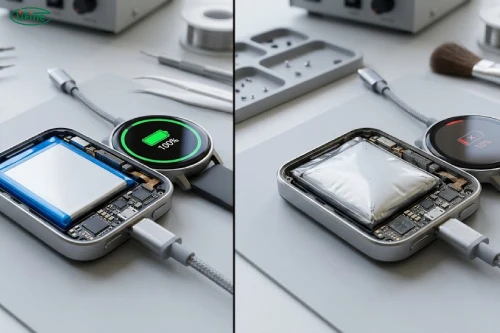
Although battery problems are common, not every device failure is caused by battery aging.
Before replacing a battery, it is important to check whether the problem comes from other internal components.
The device does not respond even with sufficient power
If a device does not turn on even after:
- using a working charger,
- confirming the charging connection,
- testing with a healthy battery,
the problem may involve other components, such as:
- motherboard failure,
- damaged power management circuits,
- internal electronic components.
In this case, replacing the battery may not solve the issue.
Specific functions stop working
Battery problems usually affect overall operation time.
Hardware problems often affect specific features.
For example:
| Problem symptom | More likely cause |
|---|---|
| Battery drains quickly but all functions work | Battery aging |
| Screen does not turn on | Display or circuit issue |
| Buttons stop responding | Hardware failure |
| Sensors stop working | Component damage |
| Device shuts down under heavy use | Battery performance issue |
This difference can help users determine the next step before spending money on repairs or replacements.
Physical damage appears on the device
Some problems are clearly unrelated to normal battery aging.
Examples include:
- cracked housing,
- water damage,
- damaged connectors,
- unusual burning smell,
- severe overheating.
These situations require professional inspection instead of simply replacing the battery.
Part 3. How to test whether the battery is the real problem
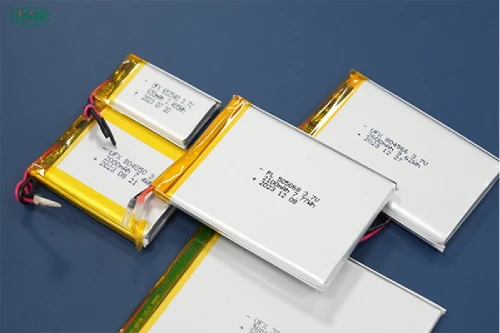
Identifying a battery issue does not always require advanced tools. Several simple checks can help determine whether the battery is responsible.
Check changes in battery performance over time
Think about how the device performed when it was new.
Ask yourself:
- Did battery life gradually become shorter?
- Does the device require charging much more often?
- Did the problem appear after months or years of use?
A gradual decline usually points toward battery aging.
A sudden failure after an accident or impact is more likely related to hardware damage.
Test different charging accessories
Before replacing the battery, check:
- charging cable,
- power adapter,
- charging port.
A faulty charging accessory can prevent the battery from charging properly and create symptoms similar to battery failure.
Use battery health testing tools
Many modern devices provide battery information through built-in software.
Battery diagnostics can check:
- remaining capacity,
- charging cycles,
- battery health percentage,
- charging performance.
Professional testing can also measure factors such as internal resistance to determine whether the battery is still operating normally.
Compare with a replacement battery
For some devices, testing with a new battery is one of the most direct ways to confirm whether the battery is causing the problem.
If the device:
- returns to normal runtime,
- stops shutting down unexpectedly,
- charges and operates normally,
the original battery was likely the main cause.
However, battery replacement is not always simple, especially for compact consumer electronics. Many modern products use custom-shaped batteries designed around limited internal space, making professional replacement or manufacturer support necessary.
Part 4. Why battery life becomes a limiting factor in modern electronics
Battery life has become one of the most important factors influencing how long people continue using portable electronic devices.
A smartphone, smartwatch, wireless earbud, or smart device may still have perfectly functional hardware, but poor battery performance can make the product inconvenient to use.
Batteries naturally lose performance over time
Lithium batteries gradually degrade because chemical reactions occur during charging, discharging, and storage.
As battery aging progresses, several changes can happen:
- lower available capacity,
- increased internal resistance,
- reduced power output,
- shorter operating time.
Research on lithium battery degradation shows that factors such as temperature, charging conditions, and operating stress can significantly influence capacity loss over time.
This means two identical devices may have different battery life depending on how they are used.
For example:
| Usage condition | Effect on battery life |
|---|---|
| Frequent high-temperature operation | Accelerates battery aging |
| Long periods at extreme charge levels | Can increase degradation |
| Normal temperature and moderate usage | Helps maintain performance |
| Frequent heavy power usage | Increases battery stress |
Small devices are more sensitive to battery aging
Battery degradation is especially noticeable in compact electronics.
Large devices may still provide acceptable performance even after some capacity loss because they have more energy reserves.
However, smaller products have very limited battery space.
Examples:
- Smartwatches
- Wireless earbuds
- Smart rings
- Fitness trackers
- Portable healthcare devices
For these products, losing even a small percentage of capacity can significantly affect daily use.
A wireless earbud that originally provided six hours of playback may become inconvenient when its battery life decreases to only one or two hours.
Battery design affects product lifespan
Battery life is not determined only by battery chemistry. The overall design also plays an important role.
Manufacturers need to consider:
- available internal space,
- product thickness,
- weight requirements,
- power consumption,
- charging requirements,
- safety standards.
A poorly matched battery may limit the entire product experience, even if other components are high quality.
For this reason, battery selection is a critical part of consumer electronics design.
Part 5. How to extend battery life and avoid early replacement
Although battery aging is unavoidable, proper usage can help maintain battery performance for longer.
Avoid extreme temperatures
Temperature has a major influence on battery aging.
High temperatures can accelerate chemical degradation, while very cold environments can temporarily reduce available capacity. Battery research has shown that operating temperature is one of the important factors affecting lithium battery performance and degradation.
Try to avoid:
- leaving devices inside hot vehicles,
- charging in extremely hot environments,
- storing batteries in unsuitable conditions.
Use suitable charging habits
Modern lithium batteries are designed for regular charging, but extreme charging conditions can increase stress.
Good practices include:
- using compatible chargers,
- avoiding unnecessary overheating during charging,
- following manufacturer recommendations.
Store unused devices properly
If a device will not be used for a long period:
- avoid storing it in extreme temperatures,
- avoid leaving the battery completely empty for extended periods,
- check the battery occasionally.
Proper storage can help reduce unnecessary capacity loss.
Monitor battery performance before problems become serious
Many users only notice battery problems when a device becomes unusable.
However, early signs can include:
- shorter runtime,
- slower charging behavior,
- unexpected shutdowns,
- increased charging frequency.
Recognizing these signs early can help users decide whether a battery replacement is needed before replacing the entire product.
Part 6. Conclusion: A dead battery does not always mean a dead device
When an electronic product stops performing as expected, the problem is not always caused by damaged hardware.
In many cases, battery aging is the real reason behind:
- shorter operating time,
- unexpected shutdowns,
- charging problems.
Understanding the difference between battery failure and hardware damage can help consumers make better decisions and reduce unnecessary replacements.
For manufacturers, battery design is also an important factor in creating longer-lasting consumer electronics. A properly designed lithium polymer battery can help balance size, capacity, safety, and reliability, allowing products to deliver a better user experience throughout their lifecycle.
Part 7. FAQ
1. Can software updates make battery life worse?
Yes, software changes can sometimes affect battery consumption. New features, background processes, or increased system requirements may cause a device to use more power than before.
2. Why does my battery lose power faster when using certain features?
High-power functions such as cameras, wireless connections, displays, motors, and sensors require more energy. An aging battery may struggle to support these higher power demands.
3. Can a battery lose capacity even if the device is rarely used?
Yes. Lithium batteries can age through both usage cycles and time. Storage conditions, especially temperature and charge level during storage, can affect long-term battery performance.
4. Why does my new device have better battery life than an older model with the same battery capacity?
Battery life depends on more than capacity. Improvements in power management, processors, software optimization, and battery technology can allow newer devices to operate longer with similar battery sizes.
5. Can changing the battery improve the performance of an old electronic device?
In many cases, yes. A new battery can restore longer runtime and more stable power output if the original battery has degraded, although it cannot repair damaged electronic components.
6. Why do wearable devices need specially designed batteries?
Wearable devices have strict size, weight, and shape limitations. Customized batteries allow manufacturers to maximize available space while maintaining suitable capacity and safety.
Related Tags:

More Articles

Why iPhone Duo Uses Two Batteries: The Engineering Behind Foldable Phone Power
Why do foldable phones need two batteries? Explore the engineering challenges behind iPhone Duo’s dual-battery architecture and future battery trends.
Solid-State Batteries: 3 Myths You Need to Know
Solid-state batteries promise safer EVs and longer range, but the reality is more complex. Discover the challenges behind this next-gen technology.
Battery Capacity vs Discharge Rate: The Choice Engineers Face
Higher capacity or higher discharge rate? Learn how to choose the right LiPo battery for longer runtime, stable power output, and better device performance.
Battery Cable Size Guide: Choose the Right Wire Fast
Not sure what battery cable size you need? Learn how to select the right wire gauge, terminal size, and cable for safer, more efficient battery systems.
How to build a12V 10.5Ah Li-ion battery pack with 18650 cells
Learn how to build a high-capacity 12V 10.5Ah battery pack with Ufine 18650 cells. Explore cell selection, 3S3P configuration, BMS wiring, and performance tests.