- Quick Answer
- Key Takeaways
- Part 1. What people mean by “bad battery cell”
- Part 2. Real-world bad battery cell symptoms
- Part 3. What actually causes a battery cell to gie?
- Part 4. How to test for a bad battery cell
- Part 4. Dead battery vs. bad battery cell
- Part 5. How to deal with dead lithium battery: replace or repair?
- Part 6. Can you fix a battery with a bad cell?
- Part 7. What to do with batteries that have dead cells
- Part 8. Practical battery habits that actually help
- Part 9. FAQs
Quick Answer
If your battery charges normally but dies fast, overheats, or collapses under load, you’re probably not dealing with a “dead battery”—you’re dealing with a bad battery cell.
Once a cell fails internally, no amount of charging will restore normal performance. In most real-world cases, replacement is the only safe solution.
Key Takeaways
- A battery can look healthy and still have a dead internal cell
- Voltage alone is misleading—load behavior matters more
- One bad cell can quietly destroy the performance of the entire battery
- Lithium batteries with bad cells can become unsafe, not just inconvenient
- Early symptoms are subtle—but once you know them, they’re hard to miss
Part 1. What people mean by “bad battery cell”
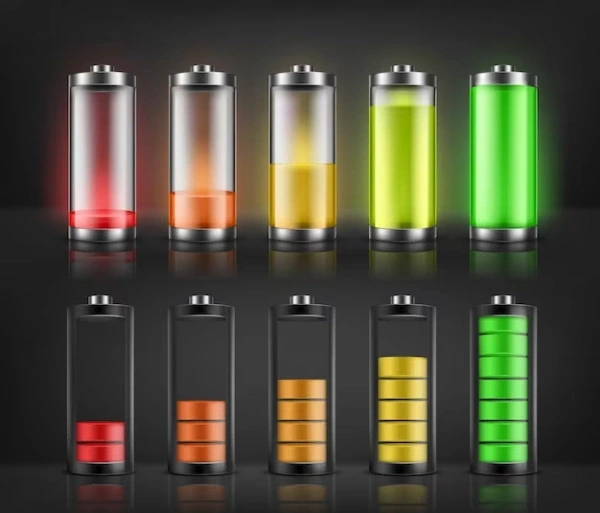
Here’s where most users get stuck.
When people say:
- “My battery is dead”
- “It won’t hold a charge”
- “It shows full but shuts off”
They’re often describing three completely different problems.
A bad battery cell means internal chemical or structural failure inside one cell.
The battery may still charge, still show normal voltage, and still look fine—until it’s actually used.
That’s why this issue is frustrating:
The battery doesn’t fail loudly. It fails quietly.
Part 2. Real-world bad battery cell symptoms
Forget textbook definitions.
These are the signs that show up in daily use, not in spec sheets.
1 The Battery Drains Much Faster Than It Used To
This isn’t gradual aging. It’s a sudden drop.
Yesterday it lasted hours. Today, it barely survives minutes.
That’s often because one cell’s capacity has collapsed, forcing the whole battery to operate at the weakest level.
2 It Shuts Down Even When the Battery Percentage Looks Fine
This is one of the biggest red flags.
A bad cell can’t deliver current when demand spikes.
So the moment you:
- start a motor
- power a device
- crank an engine
…the voltage collapses and the system shuts down for protection.
3 Charging Seems Normal—but Performance Isn’t
The charger says “fully charged.”
The voltage looks acceptable.
But the battery still fails under light load.
This mismatch between charge state and usable energy is classic bad-cell behavior.
4 The Battery Gets Hot for No Obvious Reason
Heat is not a side effect—it’s a warning.
A failing cell has higher internal resistance, which turns energy into heat instead of usable power.
When a battery starts heating up or collapsing under load, rising internal resistance is often the real culprit—this is explained in more detail in our guide on internal resistance in lithium-ion batteries.
In lithium batteries, this is especially dangerous.
Battery University notes that elevated internal resistance is a common indicator of cell degradation, particularly in aging lithium-ion cells
5 Swelling, Bulging, or Physical Deformation
This one is non-negotiable.
If a lithium battery swells, stop using it immediately.
Swelling means gas generation inside the cell—often linked to irreversible chemical damage.
Battery swelling is never just a cosmetic issue—it usually points to internal chemical damage, and if you want to understand why this happens and how it’s handled, see our breakdown on why lithium-ion batteries bulge and what to do about it.
Part 3. What actually causes a battery cell to gie?
Cell failure isn’t random—it’s cumulative stress.
Common contributors include:
- Repeated deep discharges
- Overcharging or fast charging abuse
- High operating temperatures
- Mechanical stress or vibration
- Manufacturing inconsistencies
- Natural aging over charge cycles
The U.S. Department of Energy highlights temperature as one of the largest accelerators of lithium battery degradation
Part 4. How to test for a bad battery cell
Step 1: Visual and Physical Check
Before instruments, use your eyes and hands:
- swelling
- leaks
- corrosion
- abnormal warmth at rest
Any of these mean do not proceed.
Step 2: Voltage Check (Baseline Only)
| Battery Condition | Typical 12V Reading |
|---|---|
| Healthy, fully charged | 12.6–12.8 V |
| Partially charged | ~12.2 V |
| Severely discharged | ≤11.8 V |
Important:
Voltage can look fine even with a bad cell.
Step 3: Load Testing (Where Bad Cells Reveal Themselves)
Under load, a healthy battery holds voltage.
A battery with a bad cell collapses quickly—and often recovers once the load is removed.
This “drop and bounce” behavior is one of the clearest indicators of internal cell failure.
Part 4. Dead battery vs. bad battery cell
This distinction determines whether your battery is recoverable or finished.
| Scenario | What’s Really Happening | What to Do |
|---|---|---|
| Battery won’t turn on | Fully discharged | Recharge |
| Battery dies very fast | Capacity loss or bad cell | Test further |
| Voltage looks normal but fails under load | One bad cell | Replace |
| Battery overheats | Internal damage | Stop using |
A dead battery can come back.
A bad cell almost never does.
Part 5. How to deal with dead lithium battery: replace or repair?
When you have a dead lithium-ion battery, here are your options for dealing with it:
- Assess the cost: Compare repairing the battery with replacing it with a new one.
- Consider the warranty: If the battery is still under warranty, check whether repairs are covered or a replacement is available.
- Evaluate the damage: Determine the extent of the damage to the battery. Minor issues like a broken connector may be repairable, but severe damage to the cells may warrant replacement.
- Check availability: Ensure replacement parts or compatible batteries are readily available for repair.
- Consider safety: If the battery has suffered significant damage or degradation, replacement may be the safer option to avoid potential safety hazards.
- Evaluate performance: Consider whether repairing the battery will restore its performance to an acceptable level or if a new battery would offer better performance and longevity.
- Consult a professional: If unsure, seek advice from a qualified technician or manufacturer to determine the best action for dealing with the dead battery.
Part 6. Can you fix a battery with a bad cell?
In theory? Sometimes.
In practice? Rarely—and often not worth the risk.
- Lead-acid batteries: Cell repair is unreliable and short-lived
- Lithium-ion batteries: Cell replacement requires controlled environments, matching cells, and BMS recalibration
The EPA warns that damaged lithium batteries pose fire and thermal runaway risks
For most users, replacement is safer and cheaper.
Part 7. What to do with batteries that have dead cells
- Recycle through certified programs like Call2Recycle
- Store damaged lithium batteries away from flammable materials
- Never throw them in household trash
Part 8. Practical battery habits that actually help
These won’t fix a bad cell—but they can delay the next one:
- Avoid deep discharges when possible
- Keep batteries away from sustained heat
- Use manufacturer-approved chargers
- Stop using batteries that behave unpredictably
- Replace early instead of waiting for failure
Part 9. FAQs
1. Can a battery still work with one bad cell?
Briefly, yes—but performance will be unstable and degradation accelerates.
2. Why does my battery test “good” but fail in real use?
Static tests miss load-related voltage collapse caused by bad cells.
3. Is a bad battery cell a safety risk?
Yes—especially in lithium batteries where overheating may occur.
4. Can freezing or cold weather cause a bad cell?
Cold exposes weak cells but usually doesn’t cause failure by itself.
5. How long can I keep using a battery with a bad cell?
There’s no safe timeline. Continued use increases failure risk.
Related Tags:

More Articles
Dead Battery or Device Failure? How to Find the Cause
Think your device is broken? Learn how to tell if the problem comes from battery aging or hardware failure before replacing your electronics.
Why iPhone Duo Uses Two Batteries: The Engineering Behind Foldable Phone Power
Why do foldable phones need two batteries? Explore the engineering challenges behind iPhone Duo’s dual-battery architecture and future battery trends.
Solid-State Batteries: 3 Myths You Need to Know
Solid-state batteries promise safer EVs and longer range, but the reality is more complex. Discover the challenges behind this next-gen technology.
Battery Capacity vs Discharge Rate: The Choice Engineers Face
Higher capacity or higher discharge rate? Learn how to choose the right LiPo battery for longer runtime, stable power output, and better device performance.
Battery Cable Size Guide: Choose the Right Wire Fast
Not sure what battery cable size you need? Learn how to select the right wire gauge, terminal size, and cable for safer, more efficient battery systems.