- Part 1. What is the best percentage to charge your phone?
- Part 2. Is it bad to charge your phone to 100%?
- Part 3. Should you let your phone battery drop to 0%?
- Part 4. 7 charging habits that help extend phone battery life
- Part 5. Does fast charging affect phone battery health?
- Part 6. What causes phone battery health to decline?
- Part 7. How long does a phone battery usually last?
- Part 8. How do lithium-polymer batteries power modern smartphones?
- FAQs
According to the GSMA’s May 2026 mobile device circularity factsheet, consumers now keep their smartphones for approximately 3.5 years globally, compared with around two years a decade ago. As people use their phones for longer, maintaining battery health becomes increasingly important.
Most modern smartphones use rechargeable lithium-ion batteries, including lithium-polymer (LiPo) battery designs. While these batteries are built for repeated charging, their capacity gradually decreases with use and age. The good news? A few simple charging habits can help slow this process.
So, how much should you charge your phone? Let’s find out.
Key takeaways
-
20%–80% is a good everyday charging range if your priority is extending battery lifespan.
-
Charging your phone to 100% occasionally is perfectly fine. You don’t need to avoid a full charge completely.
-
Avoid regularly letting your phone battery drop to 0%.
-
Heat is one of the biggest factors that can accelerate battery aging.
-
Fast charging is generally safe when using a compatible charger and properly designed phone.
-
Partial charging throughout the day does not count as multiple full charge cycles.
Part 1. What is the best percentage to charge your phone?
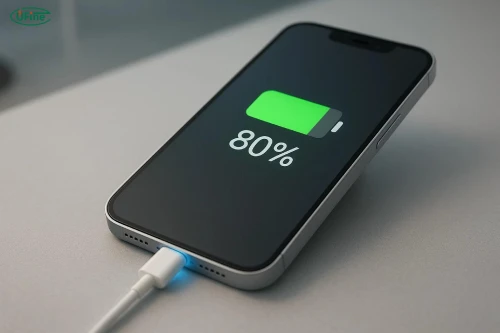
For everyday use, keeping your phone battery between 20% and 80% is a practical habit for maintaining long-term battery health.
Why this range? Lithium-ion batteries experience more chemical stress when they remain at very high or very low charge levels for extended periods. Charging from 20% to 80% helps avoid spending too much time in these less favorable conditions.
Here’s a simple guide:
| Battery level | Recommended action | Why it matters |
|---|---|---|
| 0%–10% | Recharge as soon as possible | Avoid frequent deep discharge |
| 10%–20% | Consider plugging in | Prevent the battery from becoming critically low |
| 20%–80% | Ideal everyday range | Helps reduce battery stress |
| 80%–90% | Fine for normal use | A reasonable balance between runtime and battery health |
| 90%–100% | Use when needed | Convenient when you need more battery capacity |
Of course, 80% isn’t a strict limit. If you’re heading out for a long day, charging to 100% makes sense. You don’t need to sacrifice convenience just to follow a battery-saving rule.
The goal is to avoid keeping your phone fully charged for unnecessarily long periods, not to obsess over every percentage point.
Part 2. Is it bad to charge your phone to 100%?
Not necessarily. Charging your phone to 100% does not immediately damage the battery.
Modern smartphones have built-in charging management systems that regulate voltage and current as the battery approaches full capacity. Charging also slows down during the final stage to help manage heat and battery stress.
However, regularly keeping a lithium-ion battery at 100% for many hours can contribute to faster chemical aging.
For example, if you charge your phone to 100% before bed and leave it connected to the charger until morning, the battery may spend several hours at a high state of charge.
This is why many smartphone manufacturers offer optimized charging features.
-
Apple: Optimized Battery Charging can delay charging beyond 80% until closer to the time you normally unplug your iPhone.
-
Google Pixel: Adaptive Charging learns your charging routine and adjusts charging behavior to help protect battery health.
-
Samsung: Battery protection features offer charging limits and other options to reduce prolonged high-charge exposure.
These features are particularly useful if you usually charge your phone overnight.
The takeaway is simple: charging to 100% occasionally is fine, but you don’t always need a full charge for everyday use.
Part 3. Should you let your phone battery drop to 0%?
No. Frequently draining your phone battery to 0% is not a good charging habit.
Lithium-ion batteries work through the movement of lithium ions between the positive and negative electrodes. When the battery is deeply discharged, its internal chemical conditions can become less favorable, increasing the risk of degradation.
Most smartphones automatically shut down before the battery reaches its actual minimum voltage. This protection helps prevent excessive discharge, but repeatedly running your phone until it switches off is still unnecessary.
A better approach is to recharge when your battery reaches approximately 20%.
What if your phone occasionally reaches 0%? Don’t panic. One accidental deep discharge does not mean your battery is ruined. The concern is making it a regular habit.
Also, if a phone has been completely discharged and left unused for a long time, its battery may enter a deeply discharged state and become difficult or impossible to recharge.
Part 4. 7 charging habits that help extend phone battery life
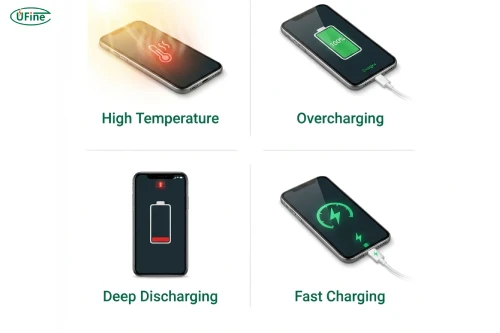
Knowing the ideal charging percentage is only part of the picture. Your daily habits also influence how quickly your phone battery ages.
1. Keep your battery between 20% and 80% when practical.
You don’t have to follow this range perfectly. Simply avoiding frequent full discharges and prolonged periods at 100% can help reduce unnecessary battery stress.
2. Avoid exposing your phone to high temperatures.
Heat is particularly harmful to lithium-ion batteries. Avoid leaving your phone in direct sunlight, inside a hot car, or near other heat sources. If your phone becomes unusually hot while charging, give it a chance to cool down.
3. Use compatible chargers and cables.
Choose chargers that meet your phone manufacturer’s specifications. A reliable charger helps ensure that the device receives appropriate power and that its charging protection systems work as intended.
4. Enable optimized charging.
If your smartphone supports an 80% charging limit or adaptive charging, consider enabling it. These features help manage charging automatically without requiring you to monitor the battery constantly.
5. Avoid intensive activities when your phone is charging.
Gaming, video recording, navigation, and other demanding applications can generate additional heat. Combining heavy usage with charging may increase the battery’s temperature.
6. Don’t worry about small charging sessions.
Charging your phone from 40% to 60%, unplugging it, and charging again later is perfectly acceptable. Lithium-ion batteries don’t need to be completely discharged before recharging.
7. Don’t leave a fully discharged phone unused for months.
If you’re storing an old phone or a spare device, leave the battery partially charged rather than completely empty or fully charged. Check it periodically to prevent excessive discharge during storage.
Part 5. Does fast charging affect phone battery health?
Fast charging is convenient, especially when you’re short on time. However, does it shorten your phone battery’s lifespan?
The answer depends on several factors, including charging power, battery temperature, cell design, and the phone’s charging management system.
Fast charging delivers higher power during the initial charging stage, allowing the battery to gain capacity more quickly. As the battery approaches 80%, charging generally slows down to reduce stress and control temperature.
The main concern isn’t simply charging speed. It’s the heat generated during charging.
For example, using an incompatible charger, charging in a hot environment, or running demanding applications while fast charging can increase thermal stress.
| Charging method | Main advantage | Consideration |
|---|---|---|
| Standard charging | Generally produces less heat | Takes longer |
| Fast charging | Saves time | Requires effective thermal management |
| Wireless charging | Convenient and cable-free | May generate additional heat depending on efficiency and alignment |
You don’t need to avoid fast charging altogether. Use a compatible charger and let your phone manage the charging process.
Part 6. What causes phone battery health to decline?
Even if you follow good charging habits, your phone battery will eventually lose capacity. This is a natural part of rechargeable battery aging.
Several factors contribute to this process.
High temperatures: Excessive heat accelerates unwanted chemical reactions inside the battery, gradually reducing its ability to store energy.
Prolonged high charge levels: Keeping a battery near 100% for extended periods can increase chemical stress, particularly at elevated temperatures.
Deep discharge: Frequently allowing the battery to reach extremely low charge levels can contribute to battery degradation.
Repeated charge cycles: Every charge and discharge cycle contributes to gradual wear. However, a cycle doesn’t necessarily mean charging from 0% to 100% in one session.
Natural chemical aging: Battery materials change over time, even when the device is not used heavily. This is why an older phone may have noticeably shorter battery life than when it was new.
Understanding these factors helps explain why two people using the same smartphone model can experience very different battery lifespans.
Part 7. How long does a phone battery usually last?
Most smartphone batteries are designed to maintain useful capacity over hundreds of charging cycles, but their actual lifespan depends on the battery design, operating conditions, and usage patterns.
For example, Google’s official battery guidance states that Pixel 8a and later models are designed to retain up to 80% of their original battery capacity for approximately 1,000 charge cycles. Earlier Pixel models, from Pixel 3 through Pixel 8 Pro and Pixel Fold, have a stated target of approximately 800 cycles.
A charge cycle is not the same as plugging in your phone once.
Suppose you use 50% of your battery today and recharge it. Tomorrow, you use another 50%. Together, those two days account for approximately one complete charge cycle.
Here are some common signs that your phone battery may need attention:
-
Your phone runs out of power much faster than before.
-
The battery percentage drops unexpectedly.
-
Your phone shuts down even when some charge remains.
-
The device becomes unusually hot during ordinary use.
-
The battery is swollen or the phone’s casing begins to separate.
If you notice swelling, stop using and charging the device and arrange professional battery service. Do not puncture or attempt to compress the battery.
Part 8. How do lithium-polymer batteries power modern smartphones?
The battery inside your smartphone is more than just a container for stored electricity. It is a carefully engineered component that must balance energy density, weight, safety, size, and performance.
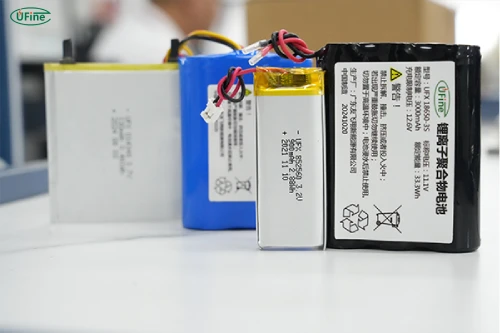
Lithium-polymer (LiPo) batteries are a type of rechargeable lithium-ion battery that uses a polymer-based electrolyte system. They are widely used in portable electronics because their pouch-style construction offers greater flexibility in battery shape and dimensions.
Compared with conventional cylindrical battery formats, LiPo batteries can be manufactured in thin, lightweight, and customized shapes. This makes them particularly useful for compact consumer electronics where internal space is limited.
Some important advantages include:
-
Flexible design: Pouch construction allows manufacturers to develop batteries in different shapes and thicknesses.
-
Lightweight structure: Suitable for portable devices where reducing overall weight is important.
-
High energy density: Provides substantial energy capacity relative to battery size and weight.
-
Custom dimensions: Battery size, capacity, voltage, and other specifications can be tailored to device requirements.
However, battery performance depends on more than chemistry alone. Charging voltage, discharge current, operating temperature, cell quality, and protection circuit design all influence battery safety and lifespan.
For example, a properly designed battery protection circuit helps prevent overcharging, over-discharging, overcurrent, and short circuits.
This is why selecting a suitable battery is essential when developing smartphones, wearables, smart devices, and other portable consumer electronics.
Ufine Battery customizes battery capacity, voltage, size, and shape to meet your device requirements.
Get Your Custom Battery QuoteFAQs
1. Does charging your phone in a cold environment affect battery performance?
Yes. Low temperatures can temporarily reduce battery performance and available capacity. In extremely cold conditions, charging may become restricted by the phone’s battery management system. Let your phone return to a normal operating temperature before charging.
2. Why does my phone battery percentage sometimes stay at 99% for a long time?
This is usually normal. Smartphone charging systems carefully regulate the final charging stage to protect the battery. Small differences in voltage measurement and charging control can also prevent the displayed percentage from reaching 100% immediately.
3. Does battery calibration improve phone battery health?
No. Battery calibration does not restore lost battery capacity or reverse chemical aging. It may help correct inaccurate battery percentage readings in certain situations, but it cannot repair a physically degraded battery.
4. Why does my phone battery drain faster in cold weather?
Cold temperatures slow down the chemical reactions inside lithium-ion batteries, temporarily reducing their ability to deliver energy efficiently. Your phone may show a faster battery percentage drop or even shut down unexpectedly in very cold conditions.
5. Is it safe to charge a brand-new phone before using it?
Yes. Modern smartphones use lithium-ion batteries and do not require a special first-charge procedure. You can start using and charging your new phone normally without waiting for the battery to reach 0% or charging it to 100% first.
6. Does screen brightness affect phone battery lifespan?
Screen brightness mainly affects daily power consumption rather than directly damaging battery chemistry. Higher brightness requires more energy, meaning you’ll need to recharge more frequently. Over time, additional charging cycles contribute to normal battery aging.
Related Tags:

More Articles

300 Amp Hour Lithium Battery: What Can It Power and How Long Will It Last?
How long will a 300Ah lithium battery last? Explore real-world runtime, charging methods, costs, and expert tips before buying.
Does Charging a Battery Make It Heavier?
Does charging make a battery heavier? Discover the surprising science behind battery weight and how much mass a full battery really gains.
Single-Bank vs. Dual-Bank Chargers for Two 12V Batteries
Choose a single-bank or dual-bank charger for two 12V batteries. Compare amps per bank, output control, and the charging setup each design supports.
Can You Charge Two 12V Batteries in Parallel While Running a Load?
Can you charge two 12V batteries in parallel while running a load? Calculate net charging current and check whether your recharge window is long enough.
Why Is Only One of My Two 12V Batteries Charging in Parallel?
Only one of your two 12V batteries seems to charge in parallel? Check branch current, charger status, and BMS alerts to find out why.